
You can reactivate your subscription after cancellation only if it has not yet expired.
Follow these steps to do so:
- Click on My Account at the top right corner.
- In your account dashboard, navigate to the Subscription Details tab.
- You will see a table listing all your subscriptions.
- In the “Action” column of the relevant subscription, look for the “Reactivate” link.
- If the subscription is still active and eligible for reactivation, simply click “Reactivate”.
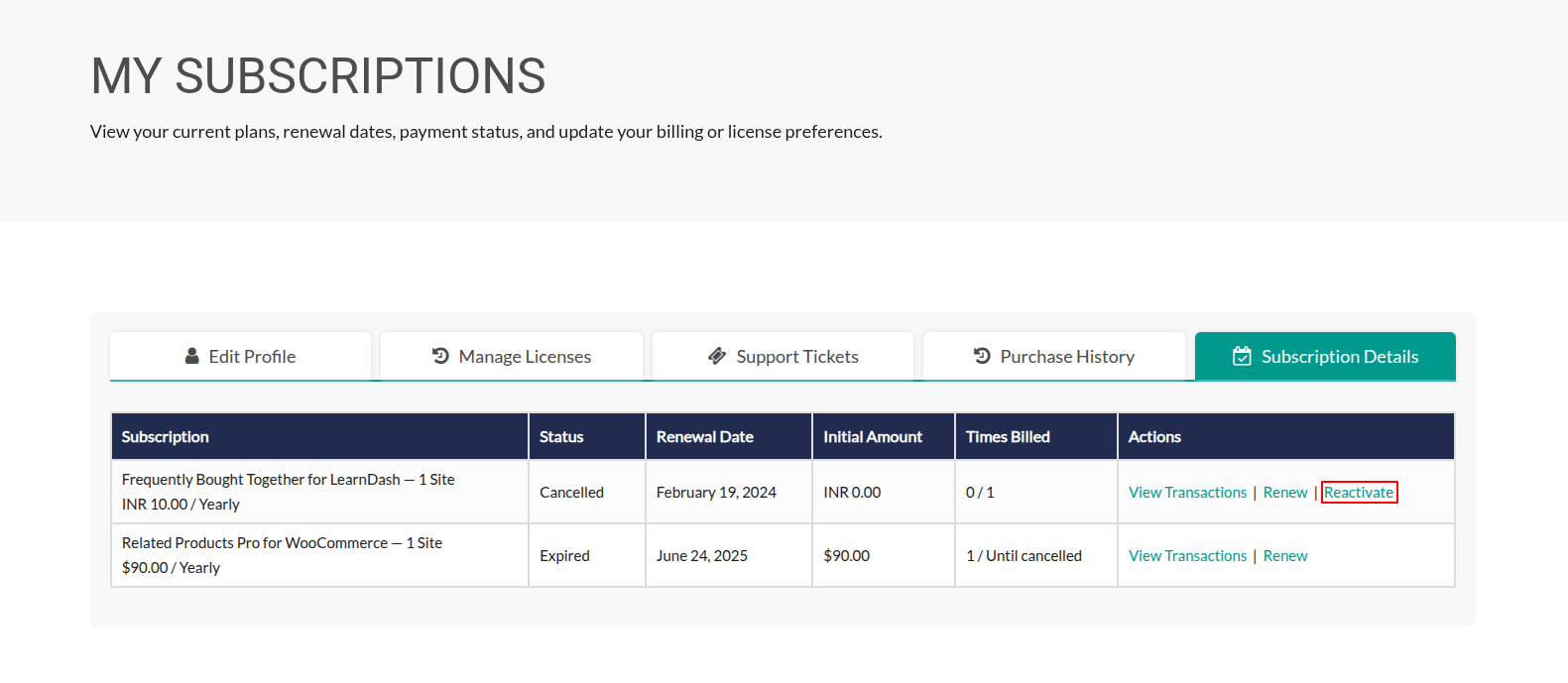
Note: If the subscription has already expired, you will need to purchase a new one.
