





Your WordPress login page is more than just a gateway to your site — it’s a branding opportunity, a security checkpoint, and an important part of the overall user experience. The standard WordPress login page (wp-login.php) is quite basic, and although it is easy to use, it has restrictions in terms of branding and customization, and it lacks some advanced features such as social logins and user management.
These limitations can lead to security risks as well as user perception for companies, membership sites, and e-commerce stores. A properly made, well-secured login page not only makes customer loyalty but also increases user engagement. This is the point where WordPress login plugins come to the rescue.
We ruminate on the Topmost Features, pros, cons, and more of 7 of the best WordPress login plugins, both free and premium, in this blog to aid you not only in design customization but also security enhancement, user flow management, and social login facilitation.
What are WordPress login plugins?

WordPress login plugins are tools that change the ordinarily basic WordPress login page into a more visually appealing, user-friendly, and branded experience. Although the default wp-login.php page gets the job done, it barely scratches the surface when it comes to customization, and it is also deprived of functionalities like social login, controlled user workflow, and much more.
Whereas these plugins add more features to help you improve not only the look of the login process but also its performance. By employing a proper WordPress login plugin, instead of merely a generic access point, you can actually turn your login page into an element of your brand.
- Why They Matter:
- Brand consistency: Using a customized WordPress login plugin both reinforces the branding of your site and professionalism.
- Enhanced user experience: A smooth login process, typically enabled by the top WordPress login plugins, can heighten retention and satisfaction levels.
- Security: Many plugins add security features, such as CAPTCHA, attempt restriction at login, access policies, and two-factor authentication.
- Efficiency: The WordPress user login plugin, for example, equipped with advanced capabilities, can simplify registration, login, and password recovery.
To sum it up, WordPress login plugins lead to enhanced branding, security, and usability, thereby making them one of the most significant touchpoints of a website.
Types of WordPress Login Plugins (and Why They Matter)

Login page plugins don’t necessarily look or function identically. The categorization of the main groups of login plugins indicates that your website may require various types of login plugins for different purposes. By identifying these four types, selecting the right plugin for your site becomes manageable.
1. Customization Plugins
These plugins primarily focus on the visual aspects and branding of your product. Through these, apart from colors, backgrounds, and logos, you can also modify layouts and other visual elements of your login page. If your aim is that the login page should be the closest thing to a real extension of your website, customization plugins would be the best option for you.
Key Highlights of Customisation Plugins are:
- Custom backgrounds, colors, and typography.
- Logo placement and branding options.
- Pre-designed login page templates.
- Live preview editing
2. User Management Plugins
These plugins not only limit user access by hiding the login page but also provide options for login and registration to be controlled. Features such as frontend login forms, custom registration workflows, and role-based access control are offered by them. They are perfect for membership sites, private communities, or any website that needs to have controlled user access.
Key Highlights of User Management Plugins are:
- Custom registration forms.
- Frontend login forms without redirecting to wp-login.php.
- Password reset customization.
- Role-based access control.
3. Social Login Plugins
These plugins enable users to use their social accounts, which already exist, for example, Facebook, Google, or X (Twitter), to get access. This can speed up the login process, decrease resistance, and increase conversions. Social login plugins are particularly helpful for e-commerce stores and membership sites, which put the most emphasis on ease of access.
Key Highlights of Social Login Plugins Plugins are:
- Log in via Facebook, Google, Twitter, and other providers.
- One-click login process.
- Customizable login button design.
- Integration with WooCommerce or membership plugins.
In light of these categories, one can determine the kind of plugin that will be the most helpful to your site, whether it is a design, user management, or social login integration that you want.
Comparison Table - Best WordPress Login Plugins
| Sr No. | Plugin | Key Features | Free Version | Premium Version | Best For |
|---|---|---|---|---|---|
| 1 | Live preview, styling, logo upload | Yes | Yes, $99/year | Full customization | |
| 2 | Users who need a popular external email marketing service with strong automation and analytics, and don’t mind setting up LearnDash email integration. | Yes | No | Beginners/ simplicity | |
| 3 | Minimal branding changes, background customization | Yes | No | Quick tweaks | |
| 4 | Frontend login & registration, password reset, custom forms | Yes | Yes, with Add-ons | Membership sites | |
| 5 | Invitation code registration, role assignment, code tracking | Yes | Yes, $39 onwards | Private communities | |
| 6 | Facebook, Google, Twitter login, customizable buttons | Yes | Yes, $99 onwards | Multi-provider login | |
| 7 | WooCommerce integration, multiple social providers, and quick login | No | Yes, $79 onwards | eCommerce stores |
Turn generic logins into secure, customized experiences your users will love.
Want your WordPress login page to stand out?
Hire WordPress website developer.Best WordPress Login Plugins for Customization, User Management & Social Logins

Improving your login page requires the right tool, and the best WordPress login plugins cater to different needs. Some focus on customization and branding, others on user management, and some on social login integration.
In this section, we’ll explore seven top options, their features, pricing, and pros and cons — with comparison tables to help you pick the right WordPress login plugin.
A. Customization Plugins
Changing color schemes, logos, backgrounds, layouts, and more visual elements are the connections customization plugins keep between you and your basic WordPress login page. With these WordPress login plugins, the in-house team of designers is just one click away from offering customers a great login experience, as well as working with an experienced WordPress website developer to get further customization.
1. LoginPress
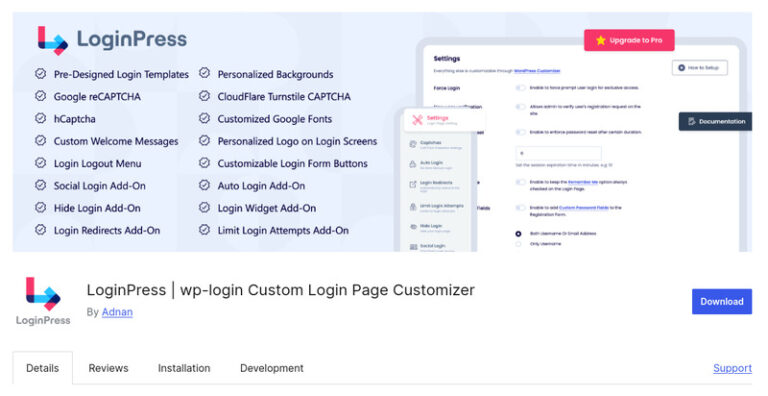
One of the best WordPress login plugins is LoginPress. It delivers total customization without requiring any code. With the help of this tool, a site owner can make a default page change to a new one that carries a brand identity and thus a better user experience, along with the promotion of professionalism.
Key Features:
- Custom Login Page Designs: This plugin allows you to create a custom design for your login page using background image, color, and logos.
- Custom Redirects: Offers you to set a custom, specific URL to be used by users to log in or log out.
- Login Form Customization: Allows you to tweak field labels, button text, and error messages to completely sync with your brand
- Live Customizer Preview: Users can preview the changes made on WordPress’s customizer interface.
- Social Login Integration (Pro): The plugin can be interlinked with several popular login options, such as Facebook, being a part of the Google ecosystem, and other suppliers (premium feature) available to users who want to log in easily and quickly.
- Security Features (Pro): LoginPress has one more safety layer to shut down the minds of the spammers, and that is reCAPTCHA.
Pros:
- The plugin allows you to bridge your company with customer branding, which is actually accomplished by versatile customization options through LoginPress.
- The redirect feature is really useful /, especially if you’re facing too many brute force attacks on your wp-login.php
Cons:
- The inclusion of social logins can be further availed in the premium version.
Pricing: This plugin offers a basic free version. The premium version starts at $99/year.
2. Custom Login Page Customizer
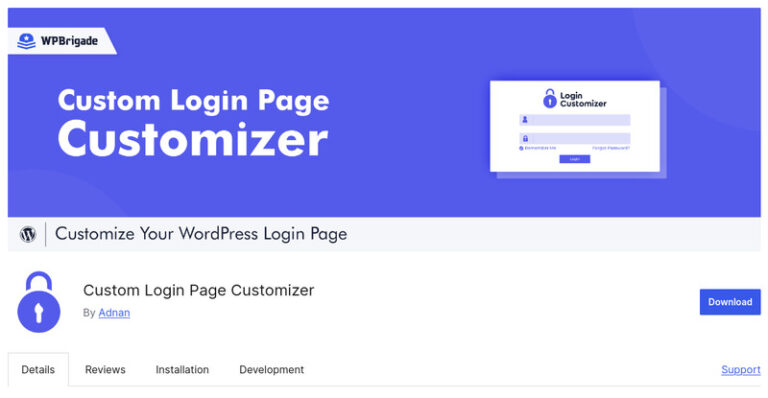
Custom Login Page Customizer is a user-friendly WordPress login plugin that allows you to create and customize your login page with the help of the WordPress Customizer that comes pre-installed. It’s the perfect tool for the owners of websites who are looking for a quick, no-tech solution to have their login page reflect their branding.
Through the use of the WordPress Customizer, this plugin affords you live editing with your preview right in front of you. Its small-bit design is what is responsible for its super-fast loading without any major complaints about the site’s performance.
Key Features:
- Live Preview Customization: Users can see the changes in real time while editing.
- Background Customization: You can personalise the background color or upload background images to match your brand style.
- Logo Upload: You can easily replace the WordPress logo with your own brand logo.
Pros:
- Live preview allows customization to be carried out effortlessly.
- Lightweight, fast-loading, and user-friendly interface for novices.
Cons:
- Limited features compared to premium customization plugins.
Pricing: Custom Login Page Customizer is a completely free plugin.
3. Colorlib Login Customizer.

Colorlib Login Customizer is a user-friendly WordPress login plugin that allows its users to change the login page simply and fast. Basically, this tool is made to meet the needs of those site owners who want to make a little change in the login page and don’t want a lot of features or complicated usage.
This plugin is completely compatible with the WordPress Customizer, enabling you to make a trial of your updated login page on the fly while deciding if the style matches your site or not. Additionally, with its minimalist design, your site will continue to function at full speed without the typical slower loading times trade-off.
Key Features:
- Live Preview Customization: This plugin grants the user the ability to witness the modifications made in real time while working on the login page.
- Logo Upload: You can put your brand logo in place of the default WordPress one with the plugin.
- Background and Form Styling: The plugin gives not only people the ability to change the background color or upload an image, but also allows them to change the form colors and typography.
- Responsive Design: The plugin is responsible for the login page being accessible and working properly both on mobile and tablet devices.
Pros:
- Lightweight and fast-loading plugin.
- Easy to use with live customization preview.
Cons:
- The plugin does not have a responsive interface.
Pricing: This plugin is completely free (and doesn’t have any premium version as such). If you’re under a tight budget, this will be a straightforward choice if you’re looking for basic customization.
B. User Management Plugins
User Management Plugins are centered around the management of the registration and login processes. One can find functionalities such as custom registration forms, frontend login pages, password management, and role-based access control in them. In general, membership sites, private communities, and websites that need user flow management can benefit a lot from these WordPress login plugins.
1. Theme My Login
Theme My Login is one of the best WordPress login plugins that is user management-friendly. It makes a frontend login that is the same as your site, with no changes or redirections. Therefore, in this way, they not only save time but also improve their branding. This is a very good option for standard use. Still, if you want more complex customizations, then you can rely on a WordPress plugin development company to assist you in extending these plugins for your site’s unique requirements.
Key Features:
- Frontend Login & Registration: Users can log in or register without leaving your site.
- Customizable Forms: You can adjust form fields and styles to match your branding.
- Password Recovery: Custom password reset forms without redirecting to wp-login.php are available with this plugin.
- Email Notifications: The plugin allows you to manage email templates for user actions like registration and password reset.
- Add-ons: Extend functionality with premium add-ons like custom redirects, user moderation, and social login integration.
Pros:
- The branding is of a higher level through the seamless integration with the site theme.
- There are numerous ways to customize the plugin to suit your needs.
Cons:
- The plugin conflicts with other plugins available on the website.
Pricing: ThemeMyLogin is free to download and use from the WordPress Plugin Repository
2. CM Registration and Invitation Codes
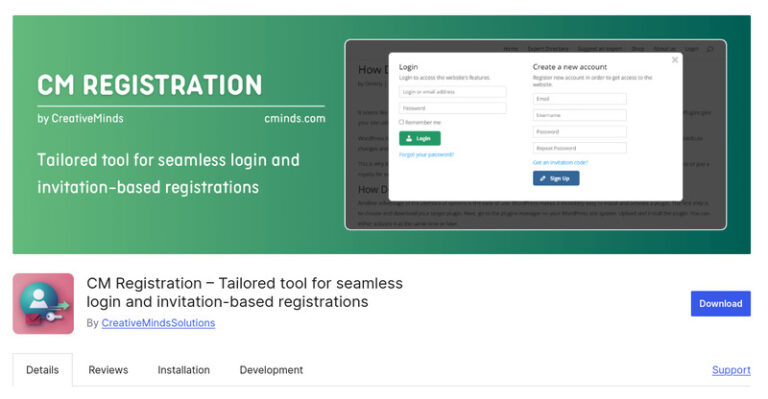
CM Registration and Invitation Codes is a feature-rich WordPress login and registration plugin that is specially made for private communities, membership sites, or platforms that want to stay exclusive. Rather than allowing open registration, it lets you create invitation codes that users have to enter to sign up. Hence, only the approved members can access your site, which means more exclusivity and tighter control over your community.
Key Features:
- Invitation Code System: You can generate and assign codes for controlled user registration.
- Customizable Registration: With the plugin, you can adjust form fields and workflows to fit your needs.
- Code Management: The plugin helps you track usage and manage code easily from the dashboard.
- Role Assignment: You can automatically assign roles to new users based on the invitation code with the plugin.
- Expiry and Limits: It restricts code usage with expiration dates or sets limits for added security, as per your choice.
Pros:
- Full control over user registration.
- Supports role-based access.
- Ability to limit and expire invitation codes.
Cons:
- Advanced features require a premium version, such as an increase in the limit of invitation codes, user registration, and more.
Pricing: The plugin is available in a free version, and its tiered pricing begins at $39/year.
3. Nextend Social Login
Nextend Social Login is one of the top WordPress login plugins that is best for simplifying user access. It does not require users to create new credentials. Instead, it allows them to access their social accounts like Facebook, Google, or Twitter and log in. This simplified procedure minimizes password fatigue, promotes quicker signups, and increases overall engagement.
Key Features:
- Multiple Social Providers: Users can log in via different socials like Facebook, Google, and Twitter. (with the Pro version offering more providers).
- Customizable Buttons: The plugin allows you to style login buttons to match your site branding.
- User Profile Integration: With the plugin, you can automatically link social profiles to WordPress user accounts.
- Login Widget: You can add login buttons anywhere on your site via a widget or shortcode using the plugin.
- Custom Redirects: Adjust and set the settings where users are redirected after login, as you need.
Pros:
- Supports multiple social login providers.
- Customizable login button appearance.
- Improves user convenience and engagement.
Cons:
- Many advanced providers and features require the Pro version, like a larger range of social platforms, successful integration with other plugins, and more.
Pricing: Nextend Social Login has a free version and a pro version that begins at $99 for 1 site.
C. Social Login Plugins
Social login plugins give users the option to sign up at your website via their already present social media accounts, like Facebook, Google, and Twitter. Thus, the whole signup process becomes effortless, which also helps in reducing password fatigue and likely increasing conversions. Such plugins perfectly fit in eCommerce stores, membership sites, or any site that puts user convenience first.
1. WooCommerce Social Login
WooCommerce Social Login by SkyVerge is one of the best WordPress login plugins for eCommerce. It is a premium tool made for online stores only, and so, it becomes one of the best WooCommerce login plugins. By using this plugin, customers are not required to create new accounts. Instead, they use their existing accounts with social media platforms like Facebook, Google, Amazon, Twitter, or LinkedIn to log in or check out. Consequently, the process of checkout becomes less complicated, and more rapid purchases can be made; cart abandonment is also lowered.
Key Features:
- Multiple Social Providers: WooCommerce Social Login by SkyVerge lets the user have more choices. Social platforms like Facebook, Google, Amazon, Twitter, and LinkedIn support this plugin for logins.
- Seamless WooCommerce Integration: This plugin works elegantly with the checkout and account pages of WooCommerce.
- Customizable Login Buttons: You can get as creative as you want with the plugin’s login buttons and make the designs accentuate your branding.
- Automatic Account Linking: The plugin automatically links social accounts to existing user accounts, so users won’t even have to think about it.
- Improved Checkout Flow: The plugin enhances the user flow by making it easier to log in and thus reducing the likelihood of cart abandonment.
Pros:
- Deep WooCommerce integration for checkout efficiency.
- The plugin supports a variety of social login providers.
- The customer experience is improved, and cart abandonment is minimized.
Cons:
- It is a paid plugin with no free version. Small stores would probably find the pricing more of a burden than an opportunity.
Pricing: Premium plugin, starting at $79/year via SkyVerge.
How to Choose the Right WordPress Login Plugin?

The right WordPress login plugin is best determined by the purpose, goals, and budget of your website. The key factors that might affect your decision are given here:
1. Your Site’s Purpose
- For branding and design, WordPress login plugins like LoginPress or Custom Login Page Customizer that support customization will be perfect.
- For membership or private communities, WordPress user login plugins like Theme My Login or CM Registration and Invitation Codes are the most suitable.
- For e-commerce stores, social login plugins such as WooCommerce Social Login will be able to simplify the checkout process.
2. Customization Needs
If you want the login page to be your complete reflection, picking a login plugin WordPress site owners trust that has advanced design customization and live previews will be the smartest move. Think about whether the plugin can do custom templates, backgrounds, and styling.
3. Social Login Requirements
One of the main ideas behind using social login to have an easier login process is that there should be less password fatigue and quicker registrations. Once this goal is set, a social login WordPress login plugin, such as Nextend Social Login or WooCommerce Social Login, would be the perfect choice.
4. Security Considerations
The most frequented login areas are, unfortunately, the target of various types of assaults. Install security plugins that offer functionalities like reCAPTCHA, limit login attempts, or two-factor authentication.
5. Budget & Scalability
Is the plugin in its free version (WordPress login plugin free) enough for you, or should premium features play a major role? For paid plugins, especially for long-term site growth, keep the annual costs in mind if you decide to go with them.
Looking at your site’s goals in relation to these factors, you can pick the most appropriate WordPress login plugin that not only matches but also ensures better branding, security, and user experience.
Final Verdict
The login page of your site is an essential user experience and security feature. The correct WordPress login plugin will change everything so that your site will be more accessible and will give off a professional vibe. The plugins discussed in this guide are furnishing dependable resolutions, no matter if you are looking for customization options, user management tools, or social login facilities. You can have a login page that is not only user-friendly but also recognizes your brand and gives your clients a hassle-free experience by selecting a login page that suits your site’s mission and requirements.