






Why Do You Need a WooCommerce Return and Refund Plugin?
Think about this: You have a WooCommerce store with good sales and revenue, but what if a customer wants to return a product and asks for a refund?
A frustrating process of return and refund may turn happy customers into disappointed ones. And, of course, you additionally don’t want to get endless emails from customers or angry reviews just because returns and refunds weren’t handled well.
Thus, a system where customers easily return or request a refund with a few clicks, managed from your dashboard, can be a game-changer.
This guide will help you understand which is the best WooCommerce return and refund plugin to pick. These plugins will make sure that refunds and returns are a breeze for both you and your customers.
Here are the best WooCommerce Return and Refund Plugin for your WooCommerce store.
1. Return Refund and Exchange for WooCommerce
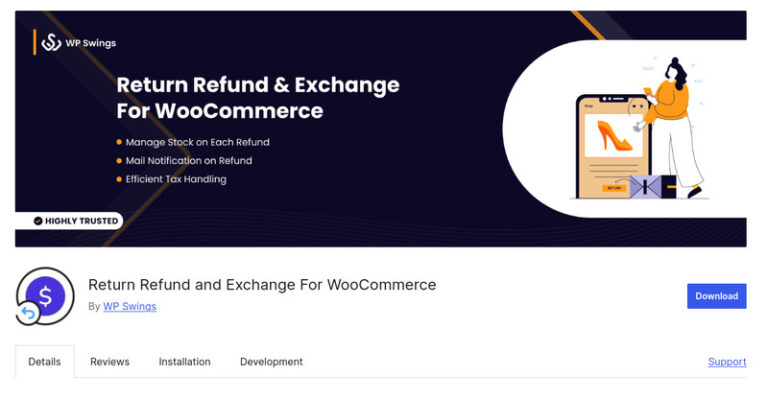
Return Refund and Exchange for WooCommerce is a popular WooCommerce return and refund plugin that allows you to let customers easily cancel orders, request refunds, or wallet credits— all in one place.
This WooCommerce order returns plugin allows customers to request for a partial or full refund based on your store’s return policy. For example, if a customer orders 3 items and wants only one item refunded instead of the whole order, this plugin allows you to do that easily.
And customers can simply pick a reason for return from a list instead of typing everything out.
You can also build a clear refund process with ready-to-go email updates.
Additionally, you can set refunds to only work on certain order statuses, and shoppers can cancel their return request on their own.
Plus, you get the flexibility to decide how long returns are open for your customers— maybe 7 days, maybe 14 — whatever fits your store policy.
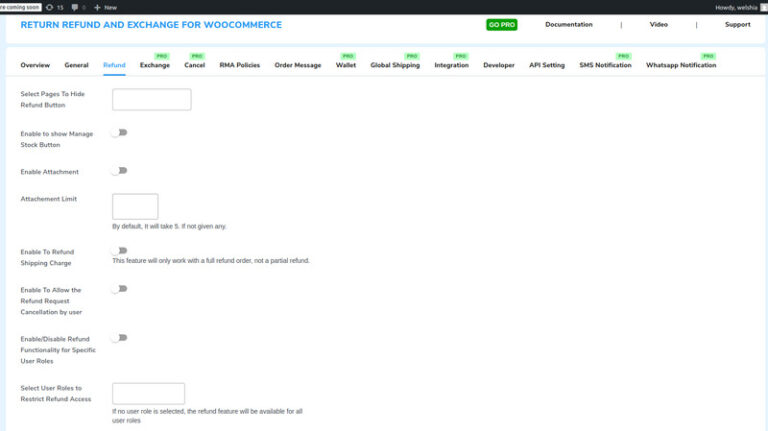
Notable Features of Return Refund and Exchange for WooCommerce:
- Dedicated Refund System: You can set up a structured refund process and send out custom email templates to your customers.
- Initiate Return for a Specific Period: Set a time frame for when your customers can request refunds or returns.
- Refunds Based on Order Status: You can control when refunds are allowed by linking them to order statuses like Completed or Failed.
- Return Request Cancellation: The plugin gives your customers the option to cancel their own refund or return requests anytime.
- Predefined Refund Reasons: You can make refunds easier by giving your customers preset reasons to choose from.
Pros:
- In case you face any issue, you can contact the support team and they will solve your problem in no time.
- Returns, refunds, and exchanges can be managed easily through a dedicated dashboard.
- It’s free to use yet still comes with plenty of handy features.
Cons:
- The free version has limited features. You may have to switch to the Pro version for advanced features.
Pricing: This plugin comes with a free version. The Pro version is priced at $79/year for a single-site license.
2. Flexible Refund and Return Order for WooCommerce
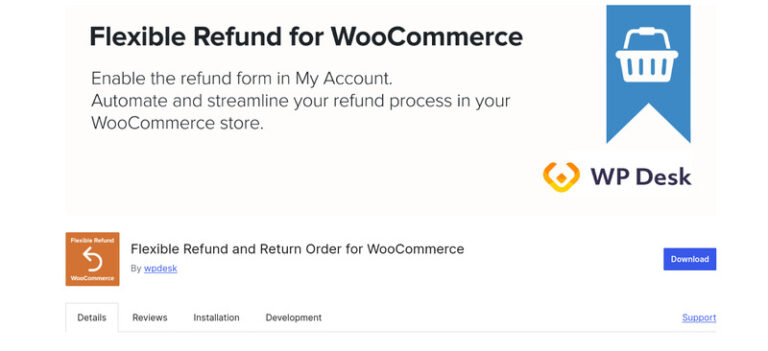
Shoppers can get frustrated after a purchase if the refund process feels complicated or unclear, slowing everything down. Flexible Refund and Return Order for WooCommerce makes the process extra clear, and WooCommerce return requests, simple for both you and your customers.
It allows you to create custom refund forms with fields like text, checkboxes, or radio buttons, and include explanations of your WooCommerce return policy.
Plus, you can also have privacy and refund policy checkboxes.
With this WooCommerce return plugin, you can record cash or bank transfer refunds in WooCommerce, including shipping costs, so everything stays tracked and organized.
You can also allow customers to get full or partial refunds for their orders.
The plugin also automates email notifications. Whenever a refund status is approved, rejected, or canceled, both you and your customer are informed immediately.
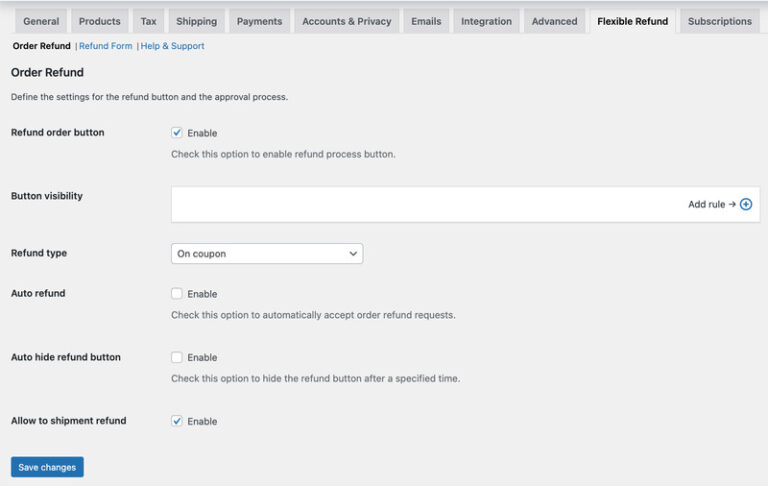
Notable Features of Flexible Refund and Return Order for WooCommerce:
- Easy Refund Requests: With this plugin, your customers can easily submit their refund requests directly from the ‘My Account’ page section.
- Flexible Refund Options: This key feature allows you to manage refunds in cash or by bank, including free shipping costs. Besides, it also allows that a refund can be made either fully or partially. Moreover, you can pick refund only for those products that you want.
- Custom Refund Forms: It lets you build and customize refund forms with text fields, checkboxes, or radio buttons, and display your WooCommerce return policy clearly.
- Automated & Customizable Emails: The plugin is very efficient in automatically notifying you and your customers by email every time a refund status changes. Plus, it is quite easy to change the message in order to reflect the style of your brand.
- Compatible with WooCommerce Subscriptions: You can handle refunds and returns for recurring subscriptions without any extra work.
Pros:
- Gives you an easy and simple method of way refunds and returns within WooCommerce directly.
Cons:
- Doesn’t have wallet credit or store credit options; refunds are limited to cash or bank transfers.
- Limited third-party plugin compatibility.
Pricing: This plugin is available for free, and its pro version is priced at $59/year.
Want a custom return and refund system tailored for your store?
Hire WooCommerce developers today!3. YITH Advanced Refund System for WooCommerce
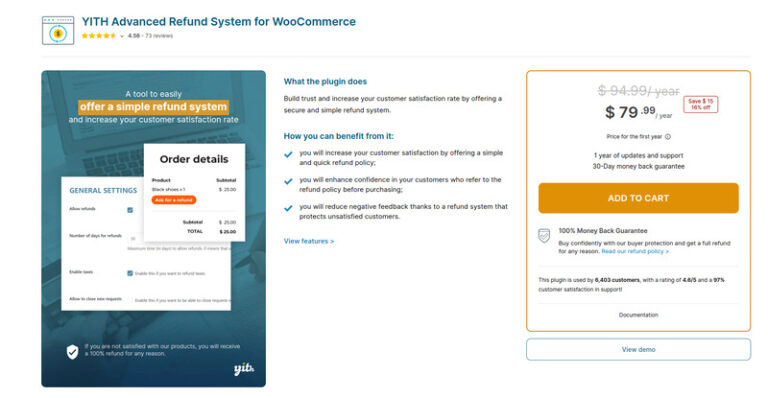
Refund requests can quickly eat up your time—The YITH Advanced Refund System for WooCommerce solves this by giving you a professional way to handle them fast, and even turn refunds into future sales with store credit.
One of its strongest features is choosing whether WooCommerce refunds are handled automatically through the original payment gateway (like PayPal) or manually if you prefer to double-check requests yourself.
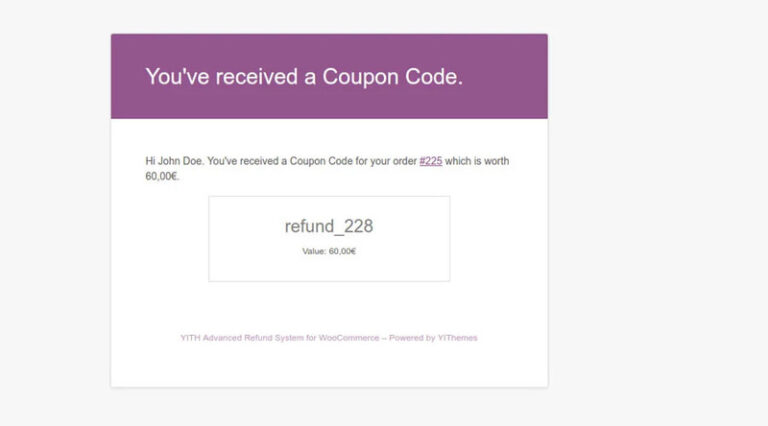
Another powerful option is offering coupons as an alternative to cash refunds. For example, instead of giving back $50 in cash, you can issue a $50 coupon that keeps the customer shopping in your store. You can even add an expiration date, so the credit gets used in a timely manner.
This WooCommerce order returns plugin shows all pending requests in your dashboard, and with one click, you can reject a request and instantly notify the customer.
Plus, the plugin keeps a full history of messages, and lets you display a custom notice on non-refundable products to avoid confusion.
Notable Features of YITH Advanced Refund System for WooCommerce:
- Choose How Refunds Are Paid: You can choose whether refunds are automatically sent through a gateway such as PayPal, or they can be handled manually to have more control over them.
- Provide Coupons Rather Than Cash Refunds: You can issue store coupons to customers instead of cash refunds (e.g., a $50 refund turns into a $50 coupon) and even add a validity period to it.
- Support for Refund Requests Made Simple: The requests for refunds are all gathered in one place, which is your WooCommerce dashboard, so they are easy to get under control.
- Let Customers Share Reasons & Proof: Customers may state their reasons and upload pictures to correspond with their return requests, thus, you can process them without delay.
- Keep Everyone Updated with Automated Emails: Email notifications are sent at every stage, from request submission to approval or rejection, both to you and your customers.
Pros:
- You can set up a WooCommerce refund process without any coding or technical steps.
- You receive one year of updates about new features, bug fixes, and technical support.
- If the plugin doesn’t satisfy you, then within 30 days you can get your full money back.
Cons:
- It’s paid only—no free version to try before buying.
Pricing: This plugin is priced at $79/year.
4. Returns for WooCommerce

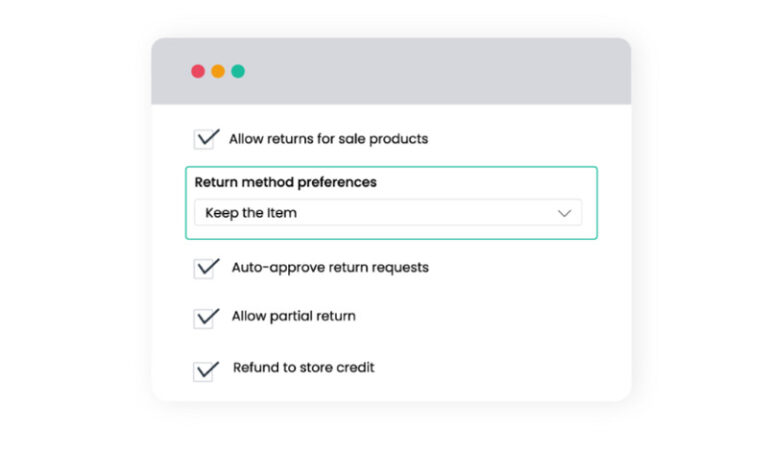
If you run a busy, high-demand store, handling returns can cost you time and resources. The Returns for WooCommerce plugin solves this by giving you full control over refunds, exchanges, and even letting customers keep low-value items instead of shipping them back with the ‘Keep the Item’ option—like a $5 phone charger, where returning it could cost more than the product itself.
Customers can choose what works best for them—whether it’s a WooCommerce refund, an exchange for another size, or store credit. Meanwhile, you get notified instantly in your dashboard and can manage everything in one place.
This WooCommerce refund plugin lets you control which products are eligible for return, like full-priced only, excluding discounted or clearance, keeping the return process fair for you and your customers.
You can set clear time limits for returns, such as giving customers 14 days from the purchase date.
Overall, these custom rules make your returns process smooth, hence showing customers that you value their time and convenience.
Need help setting up this WooCommerce refund plugin? You can always contact a WooCommerce expert!
Notable Features of Returns for WooCommerce:
- Smart ‘Keep the Item’ Option: For inexpensive items (like a $5 accessory), you can let customers keep the product instead of sending it back, saving shipping costs while showing goodwill.
- Custom Return Rules: You set the rules—like excluding clearance items or offering a 30-day return window. This WooCommerce refund plugin keeps the process fair while protecting your margins.
- Self-Service Return Center: Your customers can start a return right from their account. For example, if a T-shirt doesn’t fit, your customer can just click the ‘Request Return’ option and follow the steps.
- Flexible Resolution Options: This plugin gives you the liberty to allow shoppers to select from a refund, an exchange, or store credit.
- All-in-One Dashboard: Manage all return requests in one place from your WooCommerce dashboard.
Pros:
- Customers can handle their own returns, which keeps them satisfied and saves you time on support.
Cons:
- May require some technical knowledge to set up custom return rules properly.
Pricing: The plugin is priced at $129/year.
5. WooCommerce Smart Refunder
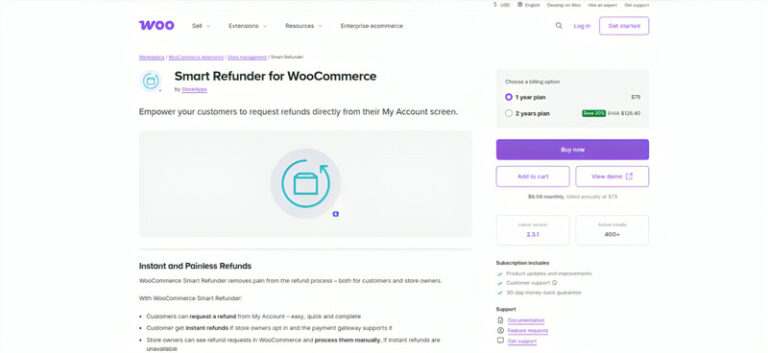
WooCommerce Smart Refunder simplifies the refund hassle of emails, payment checks, and gateway tracking. With this plugin, customers can request refunds directly from their ‘My Account’ page, and you can issue refunds instantly or manage all refund requests within your WooCommerce dashboard.
This WooCommerce refund plugin allows you to give your customers the option to request full or partial refunds, whether as cash or store credit (if you’re using the WooCommerce Smart Coupons plugin).
And if you’re selling digital products like downloadable files or subscriptions, refunds are processed right away. For physical products or unsupported gateways, you can handle refund requests manually within your WooCommerce dashboard.
Plus, it allows you to offer coupons as an alternative to cash refunds, which are sent automatically if the customer chooses that option.
Notable Features of WooCommerce Smart Refunder:
- Customer-Friendly Refund Requests: This feature enables your customers to submit refund requests from their ‘My Account’ page, thereby making the entire refund process easy and fast.
- Instant or Manual, Full or Partial Refunds: If your payment gateway is compatible with refunds, for example, Stripe, PayPal, etc., then this plugin allows you to perform refunds instantly. You are also capable of manually managing refunds in WooCommerce if that suits you better.
- Automated Digital Product Refunds: In the case of digital products such as downloads or subscriptions, it permits you to automate the entire refund process so that customers get their money back right away.
- Manual Handling for Physical Products: For physical products or non-supported gateways, it helps you perform refunds manually within WooCommerce, where you are provided with all the necessary order information for easy request handling.
- Coupons as Refund Alternatives: It lets you offer coupons instead of cash refunds, and if the customer chooses, the coupon is sent automatically, saving you time and keeping the customer happy.
Pros:
- Allows you to issue instant refunds for digital products.
- Full or partial refunds as cash or store credit.
- You get reliable customer support and product updates.
- It gives you a 30-day money-back guarantee, so if you aren’t satisfied with the plugin, you can get a full refund.
Cons:
- The plugin works best with digital products—less smooth with physical goods.
- The store credit option is locked unless you also buy/install another plugin (WooCommerce Smart Coupons).
Pricing: The plugin is priced at $79/year.
6. Ultimate Refunds
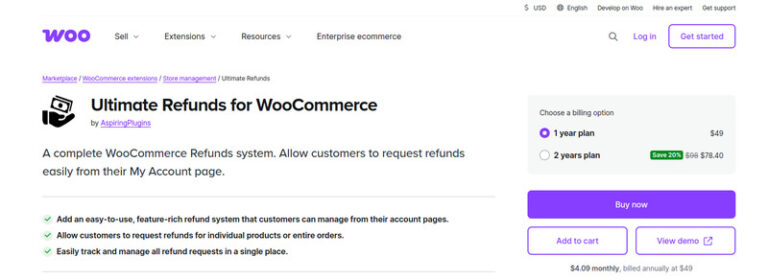
With other WooCommerce return plugins, customers often have to email proof for every return—but Ultimate Refunds lets them upload photos of the product, track return progress, and manage refund requests directly from their account page.
Want more flexibility? It allows you to add your own refund reasons, set terms and conditions, or restrict refund requests by order value, customer roles, or countries.
You can also approve or reject requests, issue refunds in cash, send store credit through coupons, or even restock products automatically.
This makes it easy to handle woocommerce return requests or partial refunds, while keeping customers updated through automated emails.
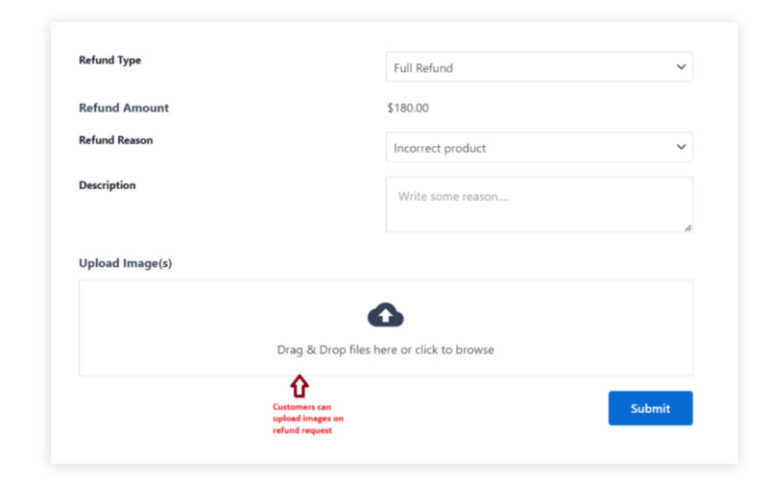
Notable features of Ultimate Refunds:
- Extra Clarity: Customers can upload images with refund requests. Example: damaged shoes returned with proof through this WooCommerce order returns plugin.
- Custom Rules: Set conditions like minimum order value or block refunds by role/country. For instance, allow refunds only for retail customers on orders above $20.
- Refund Tracking Made Easy: Customers can view all their WooCommerce refund requests in one place. Example: if they return two T-shirts, the history shows up clearly under their account.
- Flexible Refund Options: This WooCommerce refund plugin allows you to offer full or partial refunds, restock items, or refund taxes. And also allows the buyer if they want to return just one product from a bundle.
- Smart Admin Controls: You can approve or manage all refund requests from one dashboard.
Pros:
- Builds trust with clear communication and refund tracking for customers.
- Choose from full, partial, or store credit, and refunds can be validated with photo proof.
Cons:
- Doesn’t integrate at all with WooCommerce Subscriptions, so refunds for recurring subscriptions aren’t supported.
Pricing: The plugin is priced at $49/year.
Final Verdict on WooCommerce Return and Refund Plugin!
Each of these plugins makes handling returns and refunds easier in its own way.
If you want a free plugin with an all-in-one solution, such as returns, exchanges, and wallet credits, then Return Refund and Exchange for WooCommerce is the plugin you should go for. Alternatively, Flexible Refund and Return Order for WooCommerce provides advanced customization options and is also compatible with subscription-based products.
If you want to go one step ahead, then YITH Advanced Refund System for WooCommerce simplifies the WooCommerce refund plugin process with coupons and file uploads.
Whereas, Returns for WooCommerce gives the smart ‘Keep the Item’ option, while WooCommerce Smart Refunder shines with instant refunds for digital products. Ultimate Refunds, on the other hand, gives strong admin control with features like refund tracking and custom rules.
Whether it’s automating refund WooCommerce requests, managing WooCommerce return products, or offering flexible exchanges, there’s a WooCommerce return plugin here that fits every store’s needs.