





There are many LMS available these days, but in 2025, two names consistently stand out for course creators are: LearnDash and Thinkific. Both offer powerful features to build, sell, and scale online courses.
But the difference lies in their approach: The LearnDash LMS gives WordPress users unmatched flexibility and control, while Thinkific delivers an all-in-one hosted platform so you can focus on teaching, not tech.
In this blog, we’ll break down LearnDash vs Thinkific to help you decide which one fits your teaching style, budget, and growth goals.
LearnDash vs Thinkific: A Comparison on which LMS Should You Choose in 2025?
| Sr No: | Parameters | LearnDash | Thinkific |
|---|---|---|---|
| 1 | Platform Type | A WordPress plugin (self-hosted). | SaaS cloud platform (fully-hosted) |
| 2 | Pricing (2025) | No Free Version available, Starts at $199/year | Offers a 30-day free trial, Starts at $432/year |
| 3 | Hosting & Management | You, as a site owner, host & manage everything | Thinkific manages everything from hosting and security to technical maintenance |
| 4 | Design & Functionality | Full freedom with themes, plugins, and custom code | Limited templates and fixed functionality |
| 5 | Implementation | Flexible installation within WordPress, giving full control over setup | Standard cloud-based setup managed on their platform. |
| 6 | Security and Updates | Managed by the user via WordPress and Hosting | Fully managed by Thinkific with no user control |
| 7 | Payment Integrations Available | PayPal, Stripe, RazorPay, etc | PayPal and Stripe |
| 8 | Quizzes & Assignments | Quizzes with 8 Question Types, assignments, and with option to grade them | Quizzes with 1 question type and assignments |
| 9 | Gamification | Offers Certificates through a built-in feature, and Badges & Points through LearnDash Achievements or 3rd party integrations (GamiPress & BadgeOS). | Offers Built-in certificates. Badges and advanced gamification require third-party apps. |
| 10 | Analytics and Reporting | Offered through extra add-ons like LearnDash ProPanel and other 3rd party extensions | Built-in Analytics Dashboard for progress tracking |
| 11 | Require Technical Skills | Yes, required to some extent | Not Required |
| 12 | Support | Dedicated Support, Official Documentation, Community forums | Dedicated SaaS support, Live Chat, and help desk |
1. Platform Type
How you manage, customize, and scale your courses is largely dependent on the kind of LMS platform you choose which is a crucial factor.

LearnDash: LearnDash is a WordPress plugin that works on your existing WordPress website. Being self-hosted, you have full control over your site, your content, and your learners’ data. You can add other WordPress plugins to extend functionality, like membership systems, advanced analytics, or e-commerce features. For example, if you want to sell courses alongside other products, you have the flexibility to integrate the LearnDash plugin with WooCommerce. You can also choose your hosting provider, optimize site speed, or customize your design with WordPress themes. Thus, you have full control over hosting, security, and updates.
Thinkific: Thinkific is a SaaS cloud platform that is fully hosted. Hosting, security, software updates, and backups are all handled for you. This makes it simple for beginners or non-technical course creators who want to focus on creating and selling courses without worrying about technical details. For example, you can log in to Thinkific from anywhere and start building courses immediately without needing a separate website. The downside is that customization options are more limited, and you are tied to Thinkific’s system.
Both LearnDash and Thinkific help you create and sell courses, but in different ways. Thinkific provides a fully managed platform that is easy to use. And, by means of self-hosting, LearnDash offers you the complete control and adaptability to tailor your course designs, quizzes, and gamification just as you like for your students to have a one-of-a-kind learning experience.
2. Pricing (2025)
The price of an LMS influences not just your initial setup but also how much you spend as your courses grow and your business scales.

LearnDash: LearnDash pricing vary from $199/year to $799/year, making it simple for course creators to plan their budgets without worrying about hidden costs. Each of these pricing packages comes with the same essential and powerful features, like a Drag & drop course builder, an AI course outline and quiz builder, Easy assignment management, etc., that help you build and sell courses easily. The only difference between the packages is the number of sites they support: the $199/year plan is for one site, the $399/year plan is for up to 10 sites, and the $799/year plan supports unlimited sites. This pricing structure gives incredible value because all packages include the core features needed to create professional courses.
Thinkific: Thinkific offers a 30-day free trial so you can explore the platform before subscribing. The paid plans range from $432/year (Basic) to $1,788/year (Grow), with each plan offering a limited set of features. For example, the $432/year plan includes: adding Unlimited courses, 1 community, 5 digital downloads, 5 coaching or webinar sessions, etc. But, if you want to access more advanced features, like editing HTML and CSS for your course pages, you need to upgrade to the $888/year (Start) plan.
Thinkific has different paid plans with limited features in each, and the price can get high if you need more advanced tools. LearnDash, however, gives you many useful features at a lower yearly cost, with options for one site or unlimited sites, making it an affordable and flexible choice for course creators who want full control and professional courses.
3. Hosting and Management
Hosting and Management explains who is responsible for hosting, security, and ongoing maintenance when using each platform.
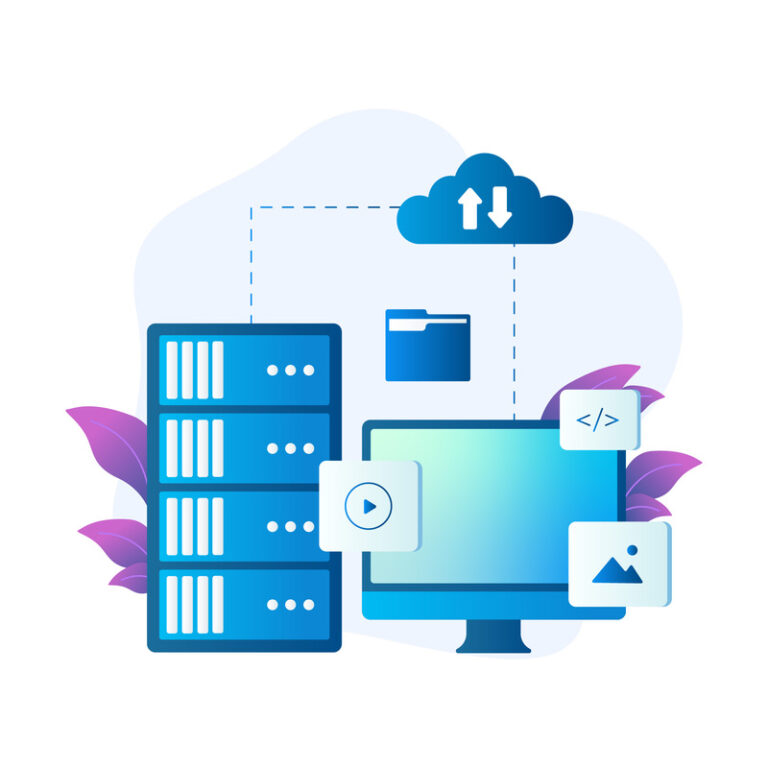
LearnDash: With LearnDash LMS, you are in charge of hosting and management. This means you need to buy web hosting, install WordPress, and then set up LearnDash on your site. You are also responsible for keeping the site updated, managing security, handling backups, and making sure everything runs smoothly. In other words, you control the entire setup but also carry the full responsibility for maintenance and troubleshooting. Incase you want less technical work, you can opt for LearnDash Cloud that offers a hosted option while still giving access to the same powerful features.
Thinkific: Thinkific hosting takes care of everything for you. The platform handles hosting, site security, and technical maintenance behind the scenes. You don’t have to worry about updates, server issues, or installing plugins. This lets you focus on building and delivering your courses while Thinkific manages the technical side, including performance, security patches, and regular updates.
Thinkific provides a fully managed hosting solution that handles updates, security, and backups for you, but LearnDash gives you full control over hosting and site management, letting you manage your server, handle updates and security on your own schedule, while still having the option to use LearnDash development services if you need expert help.
4. Design and Functionality
How your course site looks and feels matters a lot, and the right LMS can make it easier to design and add functionalities that truly fit your brand.

LearnDash: With LearnDash, you get complete freedom over how your course site looks and feels. Since it runs on WordPress, you can explore hundreds of themes, install design plugins, or even add custom code to achieve a fully personalized design. You can change layouts, colors, and course pages to match your brand exactly. Design and customization in LearnDash means you are not limited to a single look, but you may need some technical skills or hire a LearnDash developer if you want advanced changes.
But it doesn’t stop at design. LearnDash gives users the freedom to do almost anything. You can add custom features like assigning multiple certificates for a single lesson, integrating with third-party plugins, and tailoring the user experience to your specific needs. For example, if you want to bundle courses together, offering discounts and enhancing the shopping experience for your learners, plugins like Frequently Bought Together for LearnDash can do that for you.
Thinkific: Thinkific offers a set of ready-to-use templates that are clean and professional but more limited in flexibility. You can adjust basic elements like colors, fonts, and layouts within the template, but you cannot fully change the design or add deep customizations. In terms of functionality, Thinkific provides the built-in features the platform offers, such as quizzes, assignments, course access settings, and payment options, but you cannot add custom plugins or advanced tools to extend your site’s behavior. This makes Thinkific easier to set up quickly since you do not have to deal with themes or code, but it also means you trade off flexibility for simplicity.
LearnDash offers full freedom in design and functionality, so you can build a site with all the features you need. Simply installing a theme or plugin lets you add a lot of new layouts and tools, making it a one-time investment for long-term control. But if you use Thinkific, you’ll have to rely on the built-in templates and features the platform provides.
5. Implementation
Setting up your LMS is the first step, and how easy or hard it feels depends on the platform you choose.

LearnDash: The LearnDash LMS needs to be installed manually on WordPress. This means you first have to buy web hosting, install WordPress, and then add the LearnDash plugin to your site. Once installed, you also need to configure the settings, connect payment gateways if needed, and make sure everything works smoothly with your chosen theme and plugins. Installation here gives you complete control, but it also requires a bit of time, effort, and some technical knowledge to get everything ready.
Thinkific: Thinkific makes installation relatively simpler because it is cloud based. You only need to create an account on the Thinkific website and your platform is ready to use instantly. There is no need to buy hosting, install software, or manage plugins. You can log in, choose a template, and start building your courses right away. The setup is quick and effortless, which is helpful if you want to launch without worrying about the technical side.
Thinkific is a cloud-based platform, which means it is very convenient if you want to start your course very fast. You don’t have to worry about the technical part or hosting. On the other hand, LearnDash allows you to have full ownership of your platform via manual installation on WordPress. It empowers you to change every aspect of your site, use whatever plugin or payment method you want, and create a smart, completely customized educational solution that perfectly matches your requirements.
6. Security and Updates
Keeping your course platform secure and up to date is important to protect student data and make sure everything runs smoothly.

LearnDash: With LearnDash, security and updates depend on your WordPress setup and hosting provider. You are responsible for keeping WordPress, your theme, LearnDash, and other plugins updated. You also need to take care of backups, install security plugins, and make sure your hosting includes measures like SSL certificates, firewalls, and malware protection. In short, you have control, but you also carry the responsibility of maintaining the site’s security and performance. For example, the LearnDash Integrity add-on helps protect your course content and prevent unauthorized access or sharing.
Thinkific: Thinkific takes care of all security and updates for you. Since it is a fully hosted platform, they handle things like server security, SSL certificates, regular updates, and backups. You do not need to install or manage anything yourself. This means your site is always protected and running on the latest version without you having to worry about technical tasks.
Thinkific handles all security and updates for you, but LearnDash gives you full control over your site’s security and updates through WordPress and your hosting. This means you can manage backups, install security measures, and use tools like the Integrity add-on to protect your content, giving you complete ownership and flexibility over how your site runs.
LearnDash Vs Thinkific - Not sure what's best for your needs?
Let our expert team help you pick the best for your need
Tell Us About Your Requirements!7. Payment Integration
Payment Integration is a big part of running an online school, so the type of payment gateways your LMS supports makes a difference.

LearnDash: With LearnDash, you can connect multiple payment gateways through WordPress plugins and extensions. By default, it works with PayPal and Stripe, but you can tap into more popular local payment options using WooCommerce / Easy Digital Downloads (EDD).
Thinkific: Thinkific supports only two payment gateways: Stripe and PayPal. These two options cover most international students and make it easy to start accepting payments quickly. However, you cannot add other gateways directly, which may feel limiting if you want local payment options outside of Stripe and PayPal.
Thinkific only supports Stripe and PayPal, which can feel limiting if you need more local or flexible payment options. On the other hand, LearnDash works with plugins like WooCommerce and EDD, and it’s easy to connect a wide range of payment gateways like PayPal and Stripe, whatever fits your needs.
8. Quizzes and Assignments

LearnDash: LearnDash offers quizzes with 8 question types like multiple choice, true/false, essay and many more. Some questions like Multiple Choice, True/False are graded automatically, while essays can be graded manually. You, as a course creator, can randomize questions, allow retakes, and track performance. Students can submit assignments in various file types, receive feedback, and be graded with flexible options, including re-submissions.
Thinkific: Thinkific provides simpler quizzes, mostly multiple choice, with basic shuffling and limited grading options. Assignments can be submitted for approval, and teachers can give feedback, but grading and tracking are minimal.
Thinkific keeps things simple with basic quizzes and homework submissions, which works fine if you only need light testing. But with LearnDash, you get far more control and options for quizzes and assignments, including different question types and flexible grading, making it the stronger choice if you want detailed and thorough assessments.
9. Gamification
Gamification in an LMS refers to the ways a platform motivates learners using rewards like badges, points, and certificates to encourage engagement and progress.

LearnDash: LearnDash supports gamification with built-in certificates and an add-on called LearnDash Achievements. With this, learners can earn badges and points whenever they complete lessons, quizzes, or courses. For example, finishing a module can give a badge, while scoring high on a quiz can award points. These elements keep learners motivated and create a sense of progress. Teachers can also combine badges, points, and certificates to reward both small milestones and full course completion.
Thinkific: Thinkific has certificates built into the platform, so learners automatically get a certificate when they finish a course. However, it does not include badges or points by default. To add these, course creators usually connect to paid third-party apps. For example, a teacher might integrate an external tool to give badges for completing lessons, but without add-ons, the platform mainly relies on certificates as its gamification feature.
LearnDash provides a more complete gamification system with badges, points, and certificates built-in or via add-ons, while Thinkific mainly relies on certificates, requiring extra paid add-ons for more advanced gamification.
10. Analytics and Reporting
Analytics and reporting in an LMS refer to how the platform tracks learner progress, course performance, and other key data to help instructors make informed decisions.

LearnDash: The LearnDash LMS provides analytics primarily through add-ons like ProPanel. The LearnDash ProPanel allows instructors to see real-time student activity, quiz results, course completion rates, and engagement trends. For example, a teacher can quickly check which students are falling behind or which lessons take longer to complete.
Additionally, if you have Google Analytics added to your site, you can get insights about site traffic and user behavior but requires a separate setup.
Thinkific: Thinkific has a built-in analytics dashboard that shows course progress, quiz performance, student enrollments, and sales data. Instructors can easily track how many students have completed lessons, which courses are popular, and revenue trends. For example, a course creator can see how many students finished a specific module and which courses are generating the most income, all within the platform.
Thinkific includes a built-in dashboard for basic progress tracking. LearnDash, on the other hand, offers detailed reporting through its ProPanel add-on and other integrations, giving deeper insights and more control over learner progress.
11. Require Technical Skills
The technical skills required in an LMS refer to the level of knowledge needed to set up, customize, and manage the platform effectively.
LearnDash: LearnDash requires some technical skills because it is a WordPress plugin. Users need to install WordPress, set up hosting, manage plugins and themes, and occasionally troubleshoot conflicts or updates. Basic knowledge of WordPress and web management helps in creating courses, configuring quizzes, and integrating add-ons like ProPanel or LearnDash Achievements. For example, adding custom styling to course pages or connecting payment gateways may need small coding adjustments or plugin configurations.
Thinkific: Thinkific does not require technical skills because it is a hosted SaaS platform. All setup, updates, and hosting are managed by Thinkific. Users can create courses, quizzes, and assignments using simple drag-and-drop tools, without worrying about servers, plugins, or coding. For example, uploading a video lesson or setting a course price is straightforward and requires no technical knowledge.
LearnDash requires some technical skills due to its WordPress-based setup and plugin management, while setting up Thinkific is a bit easier and mostly works without any technical knowledge.
12. Community Support
Community support in an LMS refers to the ways a platform provides help, guidance, and resources to its users for solving problems and improving their course experience.

LearnDash: LearnDash offers community support mainly through dedicated support, community forums, and official documentation. Users can ask questions on LearnDash forums, access tutorials and guides, or seek help from WordPress experts for troubleshooting. For example, if a plugin conflicts with LearnDash, raise a support ticket with the LearnDash team, or even ask for expert advice on WordPress support groups.
Thinkific: Thinkific provides dedicated support as a hosted SaaS platform. Users can access live chat, email help desk, and a knowledge base with step-by-step guides. For example, if a course payment integration fails, the Thinkific support team can assist directly, without needing technical knowledge or external plugins.
LearnDash relies on dedicated support, community forums, and documentation, while requiring users to sometimes seek help externally, while Thinkific provides direct, dedicated support with live chat and a help desk which might provide a problem resolution.
LearnDash vs Thinkific: Which LMS is the Best Fit for You in 2025?
If you want full control, flexibility, and customization for your courses, LearnDash LMS is the way to go. You can design lessons, quizzes, and drip content exactly how you like.
If you prefer an all-in-one hosted platform that handles setup, hosting, and payments, Thinkific LMS is ideal. It’s simple to launch courses quickly and manage students with built-in tools.
Both are strong options: choose LearnDash for control and customizability, or Thinkific for ease and speed. Your choice depends on your teaching style and goals.