




Why Your WooCommerce Website to Mobile App Conversion is Essential for Your Store?

“Mobile apps make shopping faster, easier, and more engaging for your WooCommerce customers.”
Quite possibly, your website might be functioning on a phone, but to put it mildly, it’s not the best in the world. Users are zooming in, trying to tap small icons, and it’s just annoying.
More than 50 percent of all web visits are from mobile devices, and apps are where things get really nice. They are quicker and simpler, and they keep your customers’ memories, making shopping very easy. That means that fewer people will leave the store and more will make purchases.
Once you have converted your WooCommerce website to mobile app , it is like a spotlight is put on it. Creating a mobile app for WooCommerce stores brings loyalty, gives you more sales, and shows that you are the best in the game regarding customer experience. So why not take a step ahead?
Things to Consider Before Converting Your WooCommerce Website to Mobile App

It basically boils down to the need to create a mobile app for WooCommerce store owners to enhance customer experience and boost sales. You need an extremely thought-out plan to show your excitement in the right way and not to produce an app that is nothing but a mess, and that doesn’t provide effectively to the audience.
Begin by identifying your target users and asking the right questions: For whom are you building the app? Is the target audience a group of tech-savvy users who like exploring new features, or do they prefer simplicity and familiarity? The secret of success is knowing the customer’s shopping habits instead of making them change your way.
Besides, there is the big question: what type of app? Native is the best, quickest, most seamless, and most personalized, but also the most expensive. A hybrid is cheaper and can meet most of the requirements. PWAs (Progressive Web Apps) are a brilliant middle ground—not quite an app but more than just a website. Every option has its ups, downs, and even some unanticipated expenses.
Budget and timeline are basically the leading factors for the project to be successful. Be fair with your resources, don’t overdo it, and concentrate more on the essentials rather than the glamorous ones.
How to Develop a WooCommerce Website to Mobile App?

There are many ways to create mobile app for WooCommerce store, some of which are simple, and others are more complex. The different paths to do the same thing can vary in complexity and the difficulty of the business requirements. The breaking of these ways, the good and the not-so-good, is what we will do now.
1. Hybrid Mobile App Development for WooCommerce

Hybrid apps are just like multi-talented champs from the mobile app galaxy. By and large, a hybrid app takes your WooCommerce website to mobile app and displays it like a native app, but both iOS and Android share the same code. As a result, you get an app that can be compatible with different platforms and still save your time and money without any restrictions of double the work or cost.
The Upside: The biggest advantage is cost-effectiveness. You wouldn’t need to pay more than half of the total cost if you decided to create mobile app for WooCommerce store instead of building two separate native apps. The development time is also significantly reduced, helping you launch faster. It’s a smart way to test customer demand for a WooCommerce mobile app without burning your budget.
The Catch: However, hybrid apps might not deliver the same ultra-smooth performance you’d get from fully native apps. Some advanced device features — like Bluetooth, NFC, or camera integrations — may require additional customization or have limited access.
2. Progressive Web Apps (PWA) for WooCommerce
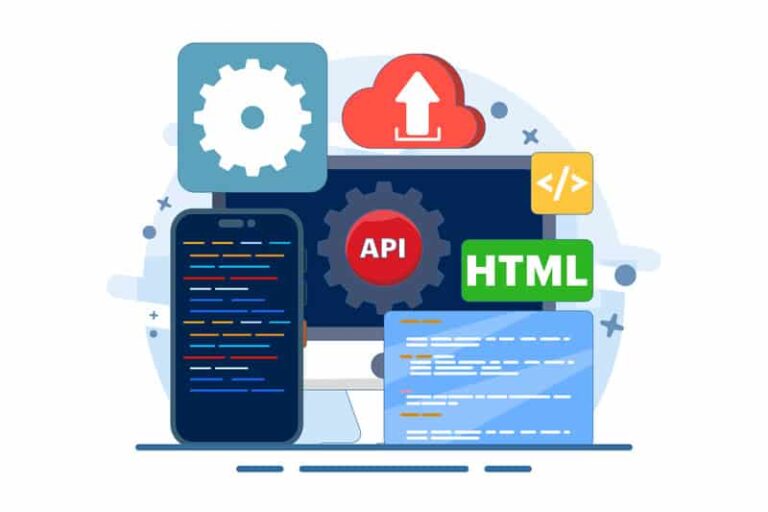
PWAs are just like the more charming, thinner version of their family, the mobile application. A Progressive Web App is basically a website that works as a mobile app, thus offering users an app-like shopping experience right from their browser. The most attractive feature? No need for the app store — users can simply drop your shop on their home screen with a single tap, making it a smart option if you’re planning to create mobile app for WooCommerce store.
The Upside: PWAs are quick, small in size, and very cost-efficient, usually even cheaper than hybrid apps. They will render a flawless, dynamic experience and are very fast to make their debut on the market, so they are a perfect choice for WooCommerce stores that are in a hurry to move their WooCommerce website to mobile app.
The Catch: As a web-based, it can not do some things that a fully native app can do. For example, hardware-dependent features such as Bluetooth, fingerprint authentication, and camera control may be only partially supported depending on the device and browser.
3. WooCommerce Mobile App Plugins

Basically, these are just your magic wands that you place directly on your WooCommerce site. They say it’s possible to create an app with just a few clicks.
The Upside: Its speed was absolutely insane and it was just user-friendly to the core. If you are installing a plugin, then most likely you will be able to complete this task as well. This kind of price is usually good for a really tight budget. A WooCommerce Mobile App Plugin can be a good start for beginners who just want to test the waters.
The Catch: The situation is like you are stuck in one place, going only one direction. Customization? More often than not, a complete disaster. Moreover, if the developer of the plugin holds back on updating it, then you may be in a situation where you are at a loss with your plugin. Another thing is that they might look a bit plain and lack inspiring features.
4. No-Code/Low-Code WooCommerce Mobile App Builders

Simply, these are online venues where you create an app just by dragging and dropping. It doesn’t require a dev team.
The Upside: Non-creative, however, in total creative control for the non-coding persons. The time elapsed is very short, and you can check your changes instantly. Basically, the feeling it gives is that of the future. Using a mobile app builder for WooCommerce, anyone can quickly launch a functional app without touching code.
The Catch: This does not mean that everything is great and perfect with the mobile app builder for WooCommerce platforms. You are tied to their terms and conditions, and they can do what they want.
You are not the owner of the app, and they can withdraw your rights if they want. The platforms will demand monthly fees that should be paid to them; Additionally, if you need customizations, they may not always be possible.
5. Custom Native App Development

These are the places where you hire tech professionals to create custom apps for iOS and Android from the beginning.
The Upside: Perfect function, exactly the style and the sound that you want, and even the use of all the features of a smartphone. It is the most excellent experience that one can get for the price of money, no doubt. Many businesses that need unique features or advanced integrations often rely on WooCommerce custom development to get a truly tailored mobile app for their WooCommerce store needs..
The Catch: The thing is the money. It is a huge expense. And the time? It’s more like months than days. Not only that, you also have to deal with two coding systems and the constant upkeep of the apps. It’s a serious commitment.
Looking for expert WooCommerce development services to build your mobile app?
Hire WooCommerce developer today!Step-by-Step Guide to Create a Mobile App for Your WooCommerce Website

Here’s the breakdown of how you will create a mobile app for your WooCommerce website.
1. Define Your App Goals and Objectives
First, it will help you a lot if you know exactly what your app is supposed to achieve. The most common goals are increasing sales, enhancing the user experience, or decreasing the number of abandoned shopping carts.
Select one or more features that fit your app and outline the features required, such as push notifications, simple checkout, product searching, and user accounts. If you plan to create mobile app for WooCommerce store, make sure the selected features align with your business goals and customer needs. If your app does more than you or your budget can handle, it will be less beneficial in the long run.
2. Choose the Right App Development Approach
There are several approaches available for developers who want to create an app:
- Hybrid App Development – It is a way to combine the benefits of both iOS and Android with the use of a single codebase without the expense of two separate projects. However, the performance of hybrid apps is always compared with fully native apps, and the former ends up lacking some aspects of the latter.
- Progressive web apps (PWA) are lightweight alternatives that run directly in browsers and thus do not require users to download them as with regular app stores. Just as any other web apps, PWAs are based on web technologies, which also limits the scope of advanced native features such as those that require sensitive hardware interactions.
- WooCommerce Mobile App Plugins – Easy and affordable, but mostly limited in terms of customization and long-term adaptability.
- Mobile App Builder for WooCommerce – Best for those who are not familiar with the technology and want to create apps quickly, but you have to follow the rules and pay the fees of the platform.
- Custom Native App Development – Gives you the utmost control and highest results; however, it is very costly and takes a lot of time to build and maintain
3. Select the Right WooCommerce App Builder or Development Partner
In case you have decided to do it yourself, I would recommend that you choose between the excellent WooCommerce mobile app builder platforms such as AppMySite or MobiLoud. They are compatible with your WooCommerce store and come with drag-and-drop tools.
To have more knowledge about the best WooCommerce mobile app builder plugins, reading the article Best WooCommerce Mobile App Plugins and their Pros and Cons with Pricing would be very beneficial.
If that is not enough, a WooCommerce developer or agency will be more suitable if you are looking for more control and custom features. Whichever way you choose, you must ensure that you have gone through the feedback as well as the support quality before making a decision.
4. Design a User-Friendly Interface (UI/UX)
An ugly app is one that nobody wants to use. Or a confusing one. Think thumb-friendly. Big buttons. Simple menus. Your user shouldn’t need a manual to find the shopping cart.
The app should be your customers’ first choice, as it was the case with your physical store. If you skimp here, you might as well not even build it.
5. Integrate WooCommerce Features
This is the glue. Your app can’t live in a vacuum. Your mobile app for a WooCommerce store has to sync perfectly with your WooCommerce backend, your product catalog, inventory levels, customer accounts, and payment gateways.
This is the technical heart of the operation. If this fails, the whole thing falls apart. Test this like your business depends on it.
6. Test Your App Thoroughly
Don’t Skip This! Test on iOS. Test on Android. Test on old phones. Give it to a friend who’s all thumbs. Fix bugs as if your survival depended on it. Check the checkout flow twenty times.
There is no such thing as over-testing. Finding a bug now is way better than hearing about it from a hundred frustrated customers.
7. Launch and Market Your App
You built it! Now, tell everyone. Announce it on your website, in your email newsletter, all over your socials. Maybe run a little “app-only” launch discount to get those first downloads.
Best WooCommerce Mobile App Plugins in 2025

Here is the summary of the top plugins that we have found and made a summary list of it:
Comparison Table:
| Tool | Best For | Pricing | Features |
|---|---|---|---|
| AppMySite | Beginners | From $4.53 | No-code app builder, easy setup |
| MobiLoud | High-traffic stores | From $299/month | Customizable, native app experience |
| FluxStore | Developers & agencies | $69 one-time | Built on Flutter, very flexible |
| WooCommerce AppMaker | Quick setup | From $149/yr | Drag-and-drop builder, push notifications |
If you require specific information about the plugins, you can read the next section on Best WooCommerce Mobile App Plugins and their Pros and Cons with Pricing. Your budget, tailor-made solutions, and your knowledge of technology would determine the best option if you plan to create mobile app for WooCommerce store.
Best WooCommerce Mobile App Plugins and their Pros and Cons with Pricing.
1. AppMySite
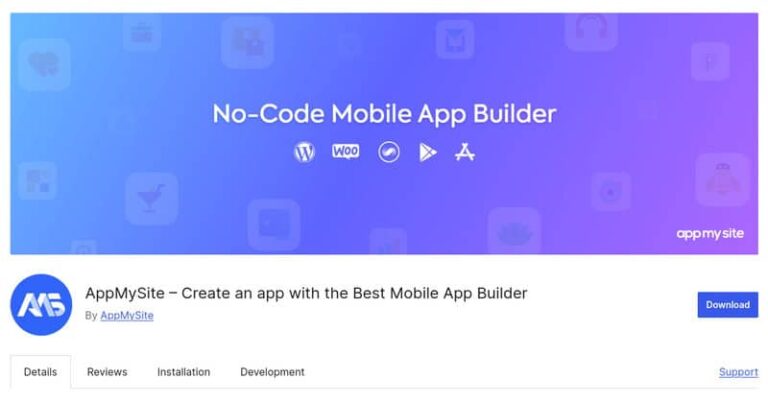
AppMySite is a popular choice among DIY makers. The tool is essentially a visual editor that can upload a native app without your programming intervention. You can just drag and drop to continue your work if you connect it to your WordPress site.
Pros:
- No-code development: The visual editor for iOS, Android, and Progressive Web Apps creation makes it possible for a non-coder to develop an app by themselves without any prior coding skills needed.
- Live preview feature: Allows designers to see their changes as they work, thus giving the possibility of eliminating errors and easy testing.
- Free tier available: A basic app building is done for free, and paid plans that start at $99/month to get advanced features come at an affordable price.
Cons:
- Limited customization: The design aspect will be like the others, and difficult features of WooCommerce (e.g., custom checkout flows) may not fully merge, thus it is probably not the best fit for stores with advanced requirements.
Pricing – The AppMySite plugin is available in a free version. Its pro version pricing starts from $4.53/mo.
2. MobiLoud
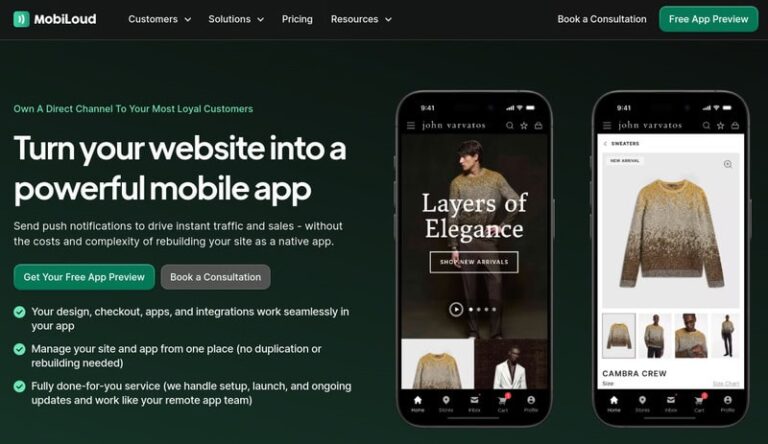
Think of MobiLoud less as a “plugin” and more as a “done-for-you” service that uses a plugin. You install their connector, but they handle the heavy lifting of actually building, configuring, and submitting your apps. It’s a different approach.
Pros:
- Fully managed service: Handles app setup, store submission, and ongoing maintenance, reducing technical burden for users.
- Synchronous update: Keeps the app up to date with the WooCommerce store, which includes plugins and checkout processes, without having to do rebuilds.
- Dependable scalability: Relied upon by popular brands (e.g., Estee Lauder) and provides support for complex stores with the help of features such as native push notifications and abandoned cart alerts.
Cons:
- More expensive: With the addition of a one-time setup fee and monthly plans, it becomes less attractive to very small or hobby stores.
Pricing – This plugin is priced at $299/mo.
3. FluxStore

Anyway, lovers of the new might be delighted to come up with such a statement. FluxStore is a multi-vendor WooCommerce app that runs on the Flutter framework. It is a robust and highly customizable app; however, it is quite different from the others.
Pros:
- Major flexibility: Because the app was developed using the Flutter framework, it virtually gives users the ability to tailor-make both iOS and Android apps. It also permits setting a different language, currency, and even complex software features like B2B wholesale and QR code scanning.
- One-time payment: The product can be owned forever with no recurring charges. Thus, it becomes a cost-effective product in the long run.
- Compatibility with a broad spectrum: The instrument or software is compatible with WooCommerce, Magento, and OpenCart. Additionally, it enables plugins like WPML and OneSignal to be integrated.
Cons:
- Technical complexity: One needs to be familiar with Flutter and possess the skills of a professional developer for the installation and customization of the app. This technicality may make it difficult for non-tech people to use it.
Pricing – This is a plugin that is sold for a one-time purchase of $69.
4. WooCommerce Mobile App Maker

WooCommerce Mobile App Marker is just a direct and uncomplicated plugin made by the WebToffee team. It basically sits in your WordPress dashboard and is meant to turn your store into an app in no time.
Pros:
- Native integration: Probably deep compatibility with WooCommerce, maintaining easy product and order synchronization.
- Affordable: It might have a low or no initial cost that would attract small businesses.
- Simple to use: Generally, it is created for WordPress users, which means that the technical part is less of a problem.
Cons:
- Limited advanced Features: Possibly, they do not support complex functionalities like multi-vendor marketplaces or custom UI/UX designs; therefore, business growth is limited.
Pricing – This plugin’s pricing starts from $1499/yr.
Benefits Every WooCommerce Mobile App Should Have

- Easy navigation with intuitive gestures will be your navigation guide through the site, which becomes even more important when you create mobile app for WooCommerce store.
- Stay away from complicated menus and concentrate on simple, logical ways leading to products and checkout.
- For a website with fast loading, smooth scrolling, and zero interruptions, optimize your performance.
- Learn to use personalized push notifications in a way that they become one of the main reasons for your customer loyalty and not an annoyance, particularly when turning your WooCommerce website to mobile app to enhance engagement.
- Don’t allow your customers to suffer from the lack of payment options at the moment of checkout; just make sure that you have numerous and reliable payment gateways available for safe and fast payments.
- One of the most important steps in ensuring a smooth payment process is also the security of the system, which should be maintained through regular updates — a critical factor when converting your WooCommerce website to mobile app.
- It is possible to compare apps with living organisms instead of fossils. Apart from the main reason for updates, which is to avoid system breakups, they also serve as a customer care gesture.
The very moment when a potential customer is turned into an actual one is the moment when just one click remains to pay in a secure and easily accessible way. Thus, it is necessary, whether you are using WooCommerce mobile app plugins, no-code platforms, or full custom builds, to put your focus on the smooth checkout and the overall performance of the app.
Final Decision
In case you really want to have a fast, more affordable installation of your app, with a high-tech hybrid or a WooCommerce website to mobile app builder, you can do it in no time. Moreover, it gives you almost the same user experience as native apps, a reliable spot in app stores, and a trouble-free user experience at a small cost.
On the other hand, if you are looking for an app with complete individuality that will have your store’s unique features and will be developed using the most advanced technology, stylishly redesigning your WooCommerce store, and all that by only one WooCommerce custom development company, then choosing to create mobile app for WooCommerce store through a specialist will be the right way. In this manner, you will get a strictly designed app just for you!