






Have you ever missed out on sales because your important emails never reached your customers? Or found out that your carefully crafted newsletters were landing in spam folders, unopened, unseen, and unclicked?
That’s where a WordPress SMTP plugin changes everything. With SMTP, you will have more control over how your emails are managed. In this blog, you’ll find the 5 top SMTP plugins for WordPress, including lightweight tools, developer-friendly options, and plugins with advanced mailer integrations. You’ll learn what makes each plugin unique, along with its key features, pros, and limitations. Let’s explore the best options.
WP Mail SMTP by WPForms
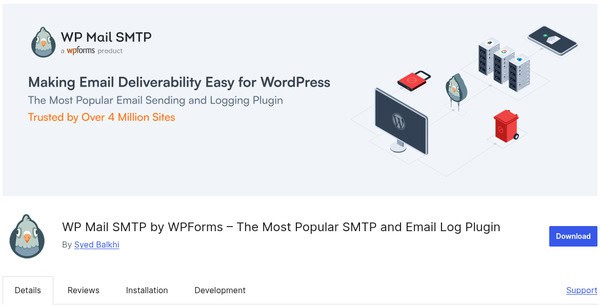
WP Mail SMTP is the best SMTP plugin available with WordPress. It has over 4 million active installs and can solve a few common email delivery problems by replacing the default mail function with proper SMTP configuration and ensuring that the mail is authenticated and sent reliably.
You can send test emails, view weekly delivery summaries, and track basic performance logs in the free version of WP Mail SMTP. It includes essential features like SMTP setup, basic email logging, and error checking. Upgrading to the Pro version unlocks advanced tools such as smart email routing, detailed analytics, failure alerts, and the White Glove setup service for hands-free configuration.
Notable Features:
- Authenticating an Email & SMTP Configuration: To send authenticated emails and reduce the likelihood of spoofing and/or blacklisting, you will need to use an API or authenticated credentials (log in or OAuth 2.0).
- Better Email Deliverability: Use trusted SMTP servers, with the help of this plugin, to send emails with a better chance of ending up in the recipient’s inbox instead of spam.
- Email Logging & Status Tracking: You can track & log each outgoing email with timestamp, recipient, subject, and whether the email was delivered.
- Performance Reporting & Summaries: You can track & log each outgoing email with timestamp, recipient, subject, and whether the email was delivered.
- Smart Routing for Different Email Types: Send transactional, administrative, and marketing emails separately, with different SMTP providers to give you better control.
- Email Testing Tool: Send test emails to verify your SMTP set-up before officially using it to communicate through your site.
Pros:
- WP Mail SMTP works with several major email providers, such as Gmail, SendLayer, SendGrid, Mailgun, SMTP.com, and Brevo, which makes it very flexible for most people.
- You can access and track all the outgoing messages sent from your site with Email Logging.
- It provides tracking of click rates and notification control, allowing users clear insights into email engagement.
- This plugin is fully compatible with all major WordPress hosting providers.
- In the Free version, it includes a back-up SMTP connection feature, allowing emails to be delivered even if the primary service fails.
Cons:
- The free version has limited customization and doesn’t include features like email templates.
- The multiple SMTP connection feature is only available in the Pro version.
- Some well-known major mailers, such as Amazon SES, Zoho Mail, and Microsoft Outlook (Office 365), are only included with Pro.
Pricing: WP Mail SMTP by WPForms is available in a free version with pro versions starting at $49/year.
FluentSMTP
If you need enterprise-grade email control for free, FluentSMTP provides that. It’s a free, modern WP SMTP plugin that is fast, flexible, and reliable. Unlike several plugins that charge for the basic SMTP controls, FluentSMTP includes numerous advanced features like email routing, logging, and multi-connection; there’s no premium upgrade required.
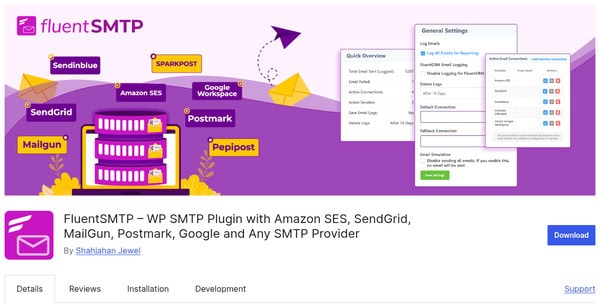
One of the aspects of FluentSMTP that is very appealing is the fact that it enables users to link multiple email providers (like Gmail, Amazon SES, Mailgun, SendGrid, Outlook) and route different types of emails, such as transactional, marketing, or simply any email.
Moreover, it does have a built-in integration with FluentCRM; besides that, it allows concurrent queuing of emails and has full logging capability. As well, it can send emails to customers, etc., which is the reason why it is the right choice for high-volume sites like WooCommerce Stores. If you require more complex customization or the creation of deeper email workflows, then you can always work with some skilled WordPress Plugin Developers to broaden the plugin’s capabilities.
Notable Features
- Trustworthy Deliverability Using Multiple Mailers: By using Multiple SMTP or API-based mailers (e.g., transactional, admin, marketing), routing an email is no longer a problem as one can use any number of services or even a combination of them, such as Gmail, Amazon SES, Mailgun, etc.
- SMTP Testing and Troubleshooting: Basically, the built-in email testing tool and log viewer that help to verify configurations and to understand delivery problems can also be used by you.
- Email Logging and Resend: You are given the functionality of email logging to keep track of every email that is dispatched, and along with it, you are allowed to resend it in the case of both failure and success, which is done via your dashboard.
- Queue Emails Asynchronously: You can queue your emails to send in the background so your website does not get affected during peak times.
Pros:
- It offers unlimited SMTP connections without any restrictions.
- FluentSMTP has real-time email delivery status with detailed logs.
- FluentCRM supports all other marketing tools that can be integrated easily.
- It is optimized for speed, zero impact on WordPress performance.
Cons:
- The plugin has no official customer support. (community-based)
- The UI of this plugin can feel overwhelming for beginners.
Pricing: FluentSMTP Plugin is available for free.
Are you looking for custom email solutions to grow your WordPress site?
Hire a WordPress plugin developer today!Easy WP SMTP Plugin
Easy WP SMTP WordPress plugin connects your site with email providers like Gmail, Outlook, or Yahoo, or any custom WP SMTP Plugin server with authentication. The plugin can be initiated with a minimal set of settings and options. It supports TLS/SSL encryption for secure message transfers and a built-in test email tool that can confirm your configuration.
Furthermore, it has an option for debug logging to help track SMTP communication to debug delivery issues. Its slim design makes it well-suited for smooth delivery in shared hosting environments. Easy WP SMTP plugin is a great choice for novices or small businesses needing reliable email delivery.
Notable Features:
- Secure SMTP with TLS/SSL Encryption: Secures outgoing mail by authenticated access and encrypted delivery channels.
- Email Logs and Status: Keeps a detailed log of every email sent, tracking admin, time, recipient, and whether the email was sent successfully or not, and whether the email was opened, failed to be delivered, etc.
- Send Test Emails: Site Admins can reach out to established email accounts to test sending emails to confirm that SMTP is configured correctly.
- Email Resend and Failure Alerts: By enabling easy resending of failed messages, it notifies the admins when delivery fails.
- Multi-SMTP Support and Smart Routing: Allows users to assign different SMTP providers to different types of emails for better performance control.
- Email Template Styling and HTML Support: It allows formatting of outgoing WordPress emails to match your website’s design.
Pros:
- The plugin is a straightforward configuration, easy to use, and free!
- It works well with popular SMTP services and uses secure authentication for delivery guarantee.
- It is purposefully lightweight and causes minimal load on your server.
Cons:
- The plugin lacks advanced delivery analytics, which may limit insights into email performance.
- It does not include built-in email logging, making it harder to track sent messages.
- Functionality is limited to basic SMTP features, without support for more complex configurations.
Pricing: The Easy WP SMTP has a free version, while its pro version is priced at $49/annually.
SureMail
SureMail is a clean, reliable, and beginner-friendly WP SMTP plugin built specifically for small business owners, freelancers, and digital creators who need dependable email delivery, without the bloat of full-scale email platforms. SureMail is designed with a focus on authenticated email sending, built-in tracking, and reliable performance.
This plugin focuses on simplicity. It’s ideal for site owners who just want email delivery to “work” without configuring complex integrations or mailers. The plugin SureMail is compatible with any SMTP provider, such as Amazon SES, Gmail, SendGrid, Mailgun, and so forth. In case you wish for some different types of integrations or to have more options, then working with a competent WordPress plugin development company is at your disposal to leverage and prolong their function.
Key Features:
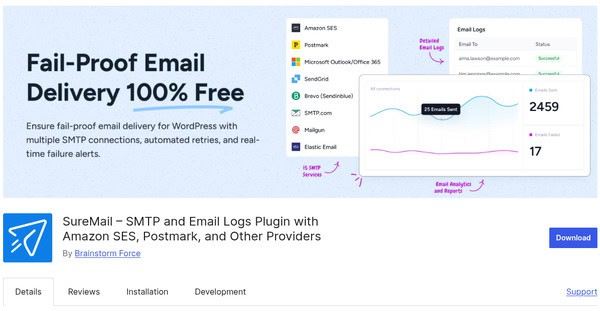
- Multiple SMTP Connections: Set up primary and backup SMTP providers for seamless failover and block emails that could harm your brand image.
- Email Logs & Resend Capability: See all emails that have been sent from within your site, including full history. It also auto-resends any emails that fail via an alternate SMTP connection, all from the dashboard.
- Built-in Email Testing Tool & Failure Alerts: You can send test emails before launching live – includes instant notifications for email failures.
- Analytics & Reports: The plugin includes full reporting capabilities for delivery, opens, and interaction with detailed analytics.
Pros:
- This plugin supports all major SMTP providers.
- It has robust email failover and retry support.
- Comes with built-in testing, analytics, and resend tools.
- The plugin is a user-friendly setup suitable for all experience levels.
- You can have full control without external dependencies.
Cons:
- There is no support for third-party mailers.
- It has fewer configuration options for advanced users.
Pricing: SureMail SMTP Plugin is Free.
Post SMTP Mailer
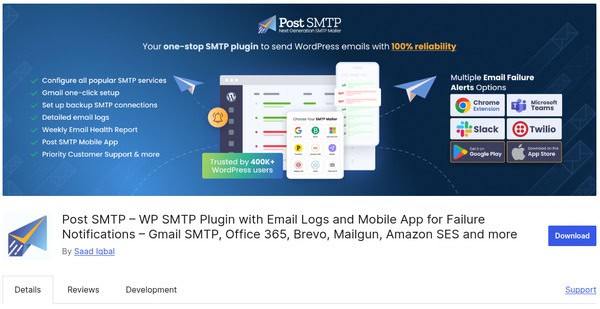
When basic SMTP plugins for WordPress are not good enough, Post SMTP Mailer provides enterprise-level email control and deep diagnostics within your WordPress dashboard. You can see every email sent, failed, or blocked, and you will have no more guesswork.
This powerful WordPress SMTP plugin replaces the default function with secure, authenticated email delivery with an SMTP server or by using a modern API. Post SMTP Mailer comes with advanced logging options, Slack and Chrome extensions for alerts on failed email, fallback SMTP options, OAuth 2.0 authentication, and modern support for common services like Gmail, Outlook, SendGrid, Mailgun, Amazon SES, and the list goes on. You will also have full headers, delivery status, and you can review the entire SMTP conversation, which provides a solid option for teams requiring good delivery visibility.
Notable Features:
- Log into Mail accounts using OAuth 2.0 Sign In: This allows you to log into Gmail and Microsoft Mail accounts without storing the password, using OAuth 2.0 sign-in.
- Email Logging and Transcript Viewer: Log every email that’s sent, along with a detailed log and a complete transcript of the SMTP conversations that take place, so you can debug sending issues.
- Backup SMTP Support: Choose a backup SMTP provider in case the primary SMTP provider fails (helping to add another layer of reliability to your emails).
- Multisite Compatibility and Developer Hooks: The plugin Post SMTP Mailer is compatible with WordPress Multisite networks, and it provides developers with hooks and filters to boost it.
- Testing Connectivity and Debugging: Use the built-in test tools to test the SMTP settings and debug ICT issues quickly before going into production.
Pros:
- The plugin has highly detailed email logging and troubleshooting.
- It supports both SMTP and modern API-based delivery.
- The email failure alerts feature keeps you always notified.
Con:
- It has no native email retry/resend function.
Pricing: The Post SMTP Mailer Pro Plugin is priced at $59/annually
Wrapping Up!
When your emails are not being delivered, your entire communication plan shatters. Whether it’s a customer receipt, password reset, or newsletter campaign, email deliverability is incredibly important – and a dependable WordPress SMTP plugin is what makes it all work.
If you want a simple setup with dependable performance, the right option would be SureMail. WP Mail SMTP and Post SMTP are very strong choices with powerful logging and developer-oriented features, while Easy WP SMTP is a good option for anyone who wants a very lightweight, no-fuss solution.
Whichever option you take, these SMTP plugins for WordPress all solve the same important problem: how to be sure that you can send WordPress emails securely, reliably, and on time.