






Why Use a WooCommerce Product Compare Plugin?
Living life online, customers might go through such an infinite number of items that they would end up giving up. That lovely coat is available in 12 colors, and the newest gadget is only available in several similar models.
Without having a simple way to compare, shoppers find themselves switching between many tabs and wasting time, which at most times results in frustration and cart abandonment.
A WooCommerce product comparison plugin is the perfect solution to this problem as it allows the users to see the products next to each other in one organized comparison table.
Product compare plugins have always been a great help to the store owners as they are able to lower the exit rate of the customers, uplift the user experience, and give a professional look to the store.
They really make the store owners win over the consumers’ trust, keep their browsing sessions long, and thus, increase their conversions.
Simplify Choices with WooCommerce Product Compare Plugins
Think of a WooCommerce product compare plugin as a digital notepad that helps customers organize their top picks.
It cuts through the noise by letting them see which blender has the better warranty or which backpack has more storage without flipping through endless pages.
By simplifying decisions, these tools not only save customers time but also give them confidence to hit “Add to Cart.” It’s a small upgrade that has a big impact on both customer satisfaction and sales.
Let’s look into Top 4 WooCommerce product compare plugins:
1. YITH WooCommerce Compare
Shopping for the right product can be tough when there are so many choices. The YITH WooCommerce Compare plugin makes it easy for your customers by giving them a simple way to see products side-by-side.
Customers can check out prices, features, and specs all in one place, without jumping back and forth between pages. This WooCommerce product compare plugin lets you configure each product’s features using WooCommerce attributes directly within the product settings.
Add a user-friendly widget that displays the products customers have selected, making it easy to manage or update their list. Want the comparison table to match your site’s look? Just edit the template to customize its style and layout to your preference.
Additionally, YITH WooCommerce product compare plugin also supports WPML and multilingual sites for your global clients.
If you ever want a completely tailored comparison feature that matches your brand perfectly, opting for WooCommerce development services can help you build a customized solution beyond what’s available out of the box.
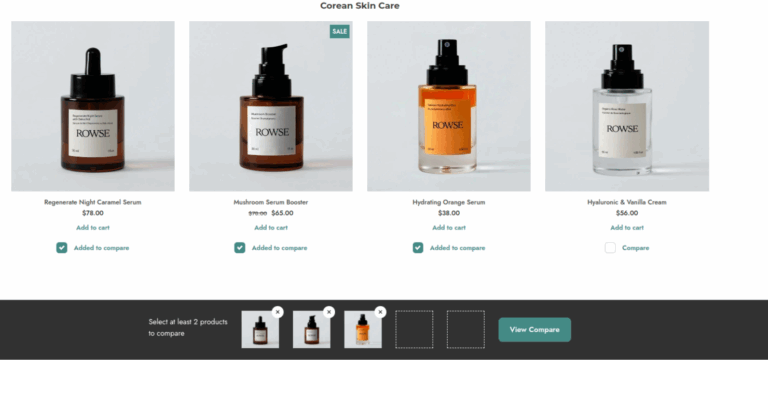
Some key features of YITH WooCommerce Compare plugin are:
- Floating Basket – A handy bar sticks to the bottom of the screen showing what’s in the comparison list, so customers never have to hunt it down.
- Category-Based Comparisons – Limit comparisons to products in the same category, so shoppers don’t end up matching laptops with t-shirts—it keeps things useful and relevant.
- Clean Up the Comparison Table – Empty spaces are automatically hidden, making comparison tables neat, clear, and super easy to read.
- Mobile-Friendly Design – The comparison table looks and works perfectly on phones and tablets, letting customers swipe through comparisons smoothly wherever they are.
Pros:
- Customers stay on your site longer and move closer to buying.
- The table highlights product benefits and answers questions upfront.
- A comparison feature makes your store look professional and trustworthy.
Cons:
- The free version is handy, but to get the best-looking mobile features and advanced options, you’ll need the premium version. It’s like getting a basic model versus the one with all the upgrades.
Pricing – This WooCommerce product compare plugin is available in free version. Its pro version is priced at $69.99 annually.
2. Kestrel Products Compare for WooCommerce
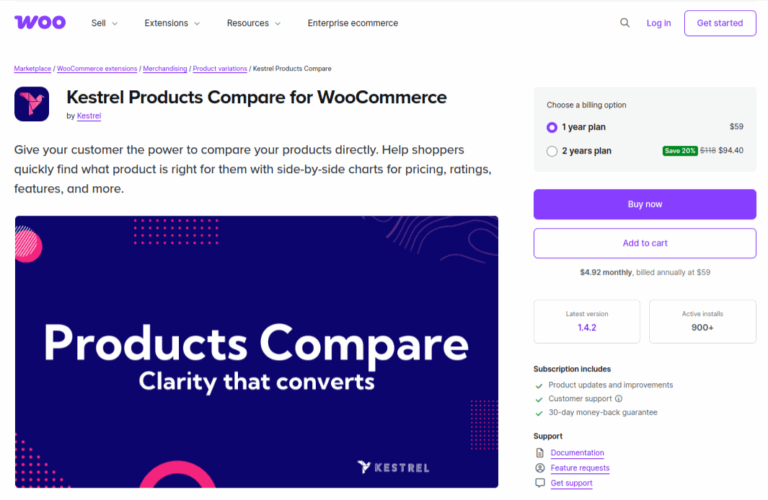
Stop letting your customers get lost clicking between tabs! Kestrel Products Compare gives them a simple way to pit their favorite products against each other, right in your store.
This WooCommerce product compare plugin includes details such as price, rating, stock levels, description and attributes all in one place. Furthermore, Kestrel lets shoppers select which products they want to compare by giving them the “Compare” option to the product they want to compare.
Shoppers can easily check off items from your category pages and see them all together in one clear, simple table. Plus you can place the comparison table anywhere in your store like sidebars, search results or your custom landing pages.
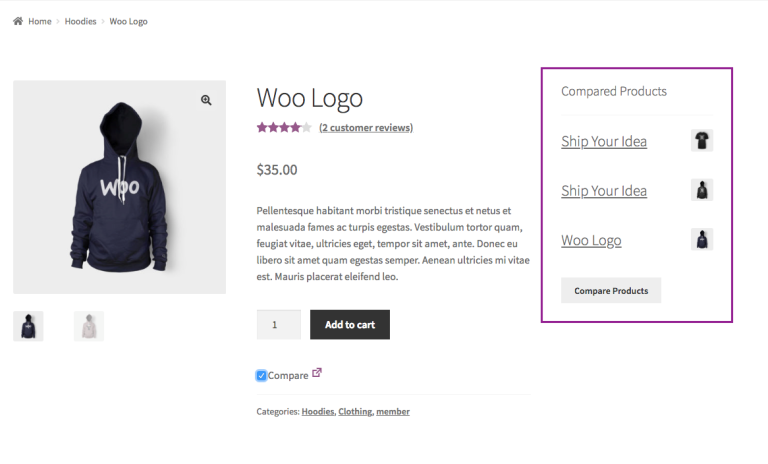
Some features of this Woocommerce compare products plugin are:
- One-Click Add to Compare – Customers can start building their comparison list instantly with a single click on a heart or checkbox next to your products—no complicated steps.
- Clear Side-by-Side Table- All selected products show up in a neat table, letting shoppers easily compare prices, features, ratings, and availability in one place.
- Stay in the Shopping Flow – Shoppers can add items to compare directly from category or shop pages without leaving—keeping the browsing and buying process smooth.
- Place It Anywhere – Use a shortcode to display the comparison button or table wherever it helps most, whether on product pages, the homepage, or a custom landing page.
Pros:
- When customers can see all the facts clearly, they feel more confident and are more likely to buy instead of leaving to check another site.
- It adds a really professional, helpful feature that makes your store easier to navigate and a much nicer place to shop.
- It keeps people on your site. Instead of opening ten different tabs and getting confused, they do all their research right there with you.
Cons:
- While it works great out of the box, if you want to add the comparison button to a unique part of your theme, you might need to tinker with the settings for a few minutes. It’s not hard, but it’s not completely magic!
Pricing – This plugins’ pricing starts from $59 annually.
Looking to build a custom WooCommerce product compare plugin?
Hire an expert WooCommerce plugin developer now.3. Products Compare for WooCommerce
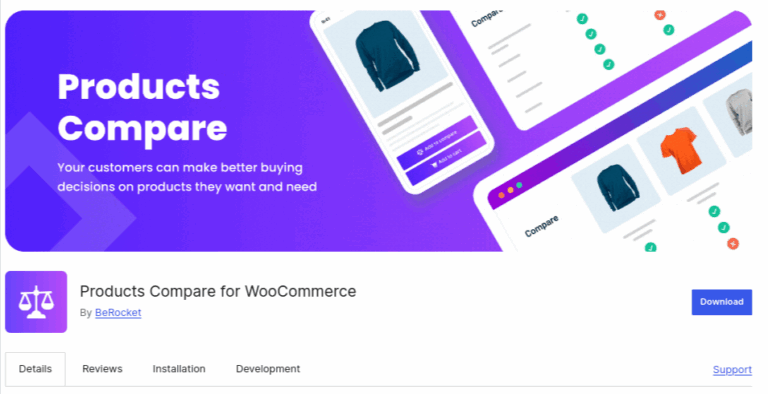
Products Compare for WooCommerce plugin solves the problem of hopping by giving customers a simple way to compare products, side-by-side, right on your store.
Shoppers can just click a little button to add items to their personal comparison list. When they’re ready, a clear popup shows them everything in one spot like prices, features, and specs so they can easily spot the differences.
This clarity helps them feel confident in their choice, which is great for turning browsers into buyers.You also get to make it your own.
Change how it looks and where the comparison button shows up to make it fit perfectly with your store’s style. It’s all about making the shopping experience smoother and helping your customers find their perfect match.
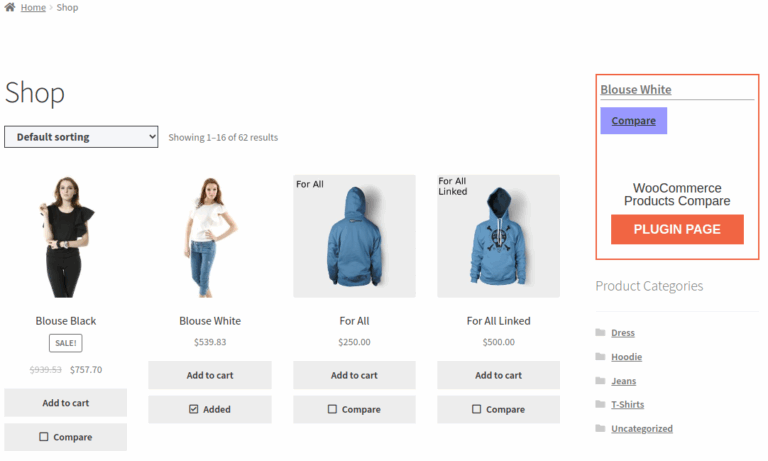
Notable features of this plugin are:
- Show Only Differences – A handy button filters the table to highlight only what’s unique about each product, making it easier for customers to spot key deciding factors.
- Sticky Comparison Basket – A small toolbar stays visible at the bottom of the screen, keeping track of added products so shoppers never lose their shortlist.
- Quick Pop-Up Comparisons – Instead of loading a new page, comparison results open in a clean pop-up window, letting customers check details without losing their place.
- Easy Sharing Options – Social sharing buttons let shoppers send the comparison table to friends or family for a quick second opinion before they buy.
Pros:
- Customers can quickly spot the key differences without scrolling through clutter.
- Shoppers never lose track of the products they want to compare.
- Pop-up comparisons keep them in the shopping flow without page reloads.
- Easy sharing helps boost trust and speeds up purchase decisions.
Cons:
- To get it looking perfectly seamless with a highly custom theme, you might need to spend a few minutes in the settings. It’s not instant magic, but it’s pretty close
Pricing – This Woocommerce compare plugin is available for free.
4. WPC Smart Compare for WooCommerce
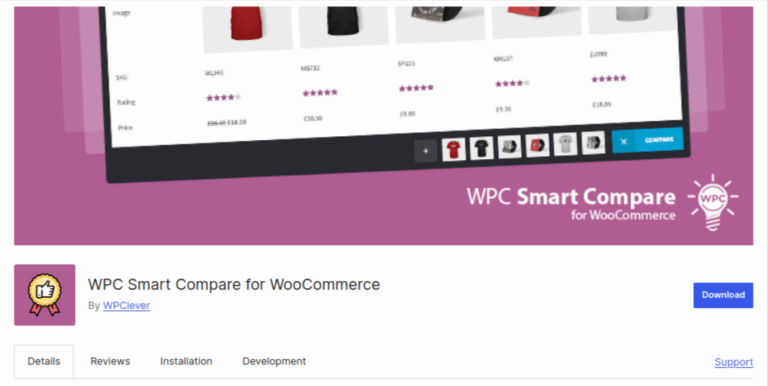
Let’s face it, customers want to make smart choices, but clicking through endless tabs is a hassle. The WPC Smart Compare for WooCommerce plugin cuts out the busywork.
This plugin is all about giving you control. You can decide where the compare button shows up and fine-tune how the comparison table looks. It works beautifully on phones too, so customers can compare products just as easily on the go.
Think of it as a helpful sales assistant that works 24/7. It answers your customers’ questions, highlights the best features of your products, and guides them gently toward making a decision.
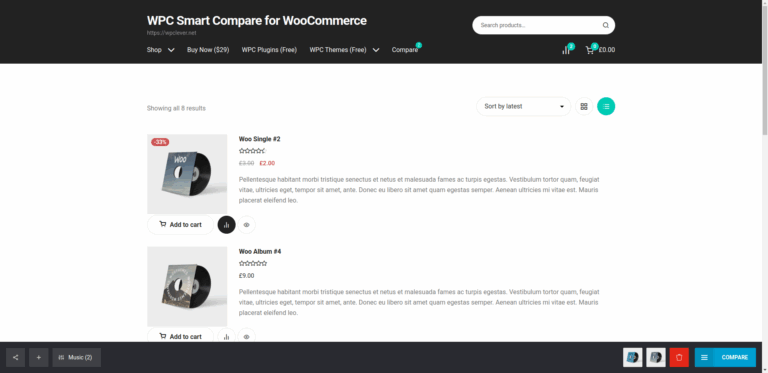
Key features of WPC Smart Compare for WooCommerce are:
- Drag-and-Drop Sorting – Customers can easily rearrange products by dragging them into the order they prefer, making it simple to line up their favorites just how they want.
- Choose Where Buttons Appear – You decide which categories show the compare button, keeping your shop tidy while still offering the feature where it matters most.
- Smart Product Suggestions – The plugin recommends similar products right on the comparison page, helping customers discover items they might have otherwise missed.
- Responsive Design – The comparison table looks great on any device—clear text and easy-to-tap buttons make it smooth on phones, tablets, and desktops.
Pros:
- Customers can easily rearrange products in the order they like with simple drag-and-drop.
- You stay in control by deciding exactly where the compare button shows up.
- Smart suggestions help shoppers find more products they may want to buy.
- The comparison table looks clean and works smoothly on any device
Cons:
- If you only sell a handful of very simple products, this might be more power than you need. It truly shines for stores with lots of items or detailed specs.
Pricing – This WoCommerce compare plugin is available in free version. Premium version pricing starts for $36.12 for a single site.
Final Verdict: The Power of Product Compare Plugins
In the end, plugins like Kestrel Products Compare, YITH WooCommerce Compare, Products Compare for WooCommerce, and WPC Smart Compare all share a common goal: to make decision-making easy.
Whether it’s through YITH’s mobile-friendly design, Kestrel’s simple setup, WPC’s drag-and-drop sorting, or the Products Compare plugin’s handy difference-highlighter, they empower customers to compare products on their terms.
This simple upgrade transforms your store from a simple catalog into a helpful guide, reducing frustration and building the confidence that leads directly to a sale. It’s a small change with a major impact.